



I have loved graphic design tools since I was a teenager. Before Java, before containers, before cloud platforms, I spent evenings in front of Photoshop trying to recreate movie posters and album covers. I was not very good at it, but I loved the process. There is something deeply satisfying about nudging pixels until the image looks exactly right. To this day I still enjoy playing with color channels, filters, and weird distortions that nobody needs but everyone smiles at.
That is probably why I keep coming back to ImageMagick. It is one of those open source projects that feels like magic. It has been maintained for decades, improves constantly, and powers production systems at companies far larger than most of us will ever work for. Most people interact with it through the CLI, but the real treasure is its C API. It can resize, blend, distort, annotate, composite, and transform images in predictable and incredibly fast ways.
I sometimes wish we had something like ImageMagick natively in Java. Java already has great imaging APIs, and the ecosystem is strong, but nothing quite as comprehensive and battle tested. If you need to process images at scale, ImageMagick remains a workhorse.
That made it the perfect example for this article. The Foreign Function and Memory API lets us connect Java code directly to high-performance native libraries. No JNI. No C. No glue code. Just Java calling ImageMagick like it was any other dependency. This is a real-world use case that shows the power of the FFM API clearly and honestly. If we can load an image, apply a polaroid effect, and return a PNG with nothing but Java and Quarkus, then you can connect to anything: FFmpeg, TensorFlow, SQLite, or your own internal C libraries.
So that is the goal. Build a tiny Quarkus service that calls ImageMagick directly. Upload images. Process them through the native API. Return the result. Everything happens inside Java, and you get a complete pattern you can reuse across your enterprise stack.
The rest of this article walks you through that implementation step by step.
Why This Matters in Enterprise Java
Modern enterprise systems often sit at the intersection of Java business logic, heavy data processing, strict SLAs, and evolving AI workloads. Java shines at scale, reliability, and maintainability, but some tasks are still dominated by native libraries. Image processing. Cryptography. Compression. Scientific computing. GPU acceleration. Numerical types that Java simply does not have. These areas have decades of optimized C and C++ implementations behind them.
You can see this clearly in the Python machine learning world. Most developers think they are “using Python”. They are not. They are calling native libraries written in C, C++, CUDA, or Fortran. NumPy, SciPy, PyTorch, TensorFlow, XGBoost, ONNX Runtime, and every serious vector database all depend on highly optimized native kernels. Python is the orchestration layer. The performance comes from C.
Java has always had access to native code through JNI, but JNI has never been pleasant in an enterprise environment. It requires C glue code, custom build steps, careful memory management, and a level of operational fragility that increases risk. Anyone who has deployed JNI-heavy applications at scale knows this pain. Debugging a native crash in production is not a great night.
The Foreign Function and Memory API changes the equation. It gives Java first-class access to native code with:
A stable, well-supported API
Strong typing and safety
Predictable memory lifecycle
Zero C glue code
No JNI complexity
Much easier operations and debugging
This makes Java a far more attractive runtime for workloads that previously required Python, Go, or C++ bindings.
ImageMagick is a perfect example because it represents a category of libraries that Java developers often need but rarely want to integrate manually. It is fast, extremely mature, and widely deployed in large companies. It handles formats, filters, colorspaces, and transformations that you do not want to reimplement. With the FFM API, Java can now talk to it directly without a JNI detour.
The broader implication is important. Java is no longer restricted to the pure-JVM ecosystem. It can consume the same native infrastructure that powers Python’s ML tools. It can use the same optimized kernels that give other languages their advantage. And it can do so with the safety, structure, and long-term support that enterprises expect.
If your platform processes images, audio, video, PDFs, machine learning embeddings, numerical data, or GPU workloads, this pattern opens a door that was previously closed or too painful to maintain. The example in this tutorial shows the mechanics in a way that is easy to validate and easy to extend.
Once you understand the flow, you can call almost anything.
Prerequisites
You need:
• Java 25 or later
• Quarkus (I’m using 3.29.4)
• Maven 3.9+
• ImageMagick 7
Check your Java version:
java --versionInstall ImageMagick with Brew on MacOS:
brew install imagemagickConfirm library location.
ls -la /opt/homebrew/lib/libMagickWand-7.Q16HDRI.dylibCreate the Quarkus Project
Create a new project:
mvn io.quarkus.platform:quarkus-maven-plugin:create \
    -DprojectGroupId=com.example \
    -DprojectArtifactId=image-magic \
    -Dextensions="rest-jackson"
cd image-magic
Configure Java 25 in pom.xml:
<properties>
    <maven.compiler.release>25</maven.compiler.release>
</properties>
Enable native access:
<plugin>
    <artifactId>maven-surefire-plugin</artifactId>
    <version>3.5.4</version>
    <configuration>
        <argLine>--enable-native-access=ALL-UNNAMED</argLine>
    </configuration>
</plugin>
Make the same flag available for tests:
quarkus.test.arg-line=--enable-native-access=ALL-UNNAMEDAnd as usual, if you do not want to follow along, you are more than welcome to just grab the example from my Github repository.
Understand the Foreign Function & Memory API
The FFM API revolves around three ideas.
SymbolLookup locates native functions inside loaded libraries. It returns addresses represented as MemorySegment.
Linker converts those addresses into Java MethodHandles using a FunctionDescriptor. You call them like Java methods.
Arena manages the lifecycle of off-heap memory. When the arena closes, everything allocated inside it is freed automatically.
The workflow is straightforward:
Load the native library.
Look up functions.
Bind functions to method handles.
Allocate memory inside an arena.
Call the native functions.
Copy results back to the Java heap.
This gives C-level performance with Java-level safety.
Bind ImageMagick Functions in Java
Create a class that loads the ImageMagick library and binds native symbols.
src/main/java/com/example/ffm/MagickBinder.java:
Find the full source in my repository. This is just an excerpt.
package com.example.ffm;

import io.quarkus.logging.Log;
import jakarta.annotation.PostConstruct;
import jakarta.enterprise.context.ApplicationScoped;
import java.lang.foreign.*;
import java.lang.invoke.MethodHandle;

@ApplicationScoped
public class MagickBinder {

// --- Private Fields (Method Handles) ---
    private MethodHandle newMagickWand;
    private MethodHandle magickReadImageBlob;
    private MethodHandle magickGetImageBlob;
    private MethodHandle magickSetFormat;
    private MethodHandle magickRelinquishMemory;
    // some more method handles in my example

    @PostConstruct
    void init() {

        Linker linker = Linker.nativeLinker();

 // 1. Explicit Library Loading (Critical for macOS/Homebrew)
        System.load(”/opt/homebrew/lib/libMagickWand-7.Q16HDRI.dylib”);
        Log.info(”Loaded ImageMagick library”);

        SymbolLookup lib = SymbolLookup.loaderLookup();

    }


        try {

   // 2. Bind Core Functions
            MethodHandle genesis = linker.downcallHandle(
                lib.find(”MagickWandGenesis”).orElseThrow(),
                FunctionDescriptor.ofVoid()
            );
            genesis.invoke();

            newMagickWand = linker.downcallHandle(
                lib.find(”NewMagickWand”).orElseThrow(),
                FunctionDescriptor.of(ValueLayout.ADDRESS)
            );

            magickReadImageBlob = linker.downcallHandle(
                lib.find(”MagickReadImageBlob”).orElseThrow(),
                FunctionDescriptor.of(
                    ValueLayout.JAVA_INT,
                    ValueLayout.ADDRESS,
                    ValueLayout.ADDRESS,
                    ValueLayout.JAVA_LONG
                )
            );

            magickGetImageBlob = linker.downcallHandle(
                lib.find(”MagickGetImageBlob”).orElseThrow(),
                FunctionDescriptor.of(
                    ValueLayout.ADDRESS,
                    ValueLayout.ADDRESS,
                    ValueLayout.ADDRESS
                )
            );

            magickSetFormat = linker.downcallHandle(
                lib.find(”MagickSetImageFormat”).orElseThrow(),
                FunctionDescriptor.of(
                    ValueLayout.JAVA_INT,
                    ValueLayout.ADDRESS,
                    ValueLayout.ADDRESS
                )
            );

            magickRelinquishMemory = linker.downcallHandle(
                lib.find(”MagickRelinquishMemory”).orElseThrow(),
                FunctionDescriptor.of(
                    ValueLayout.ADDRESS,
                    ValueLayout.ADDRESS
                )
            );

        } catch (Throwable e) {
            throw new RuntimeException(”Failed to bind ImageMagick”, e);
        }
   }

// --- Getters (Must use these to access fields through the Proxy) ---
    public MethodHandle getNewMagickWand() { return newMagickWand; }
    public MethodHandle getMagickReadImageBlob() { return magickReadImageBlob; }
    public MethodHandle getMagickGetImageBlob() { return magickGetImageBlob; }
    public MethodHandle getMagickSetFormat() { return magickSetFormat; }
    public MethodHandle getMagickRelinquishMemory() { return magickRelinquishMemory; }
}
}
Once this binder is in place, ImageMagick becomes just another Java dependency.
Process Images Using Off-Heap Memory
Below example method transforms a regular photo into a polaroid-style image with customizable border, shadow, rotation, and optional caption. This is the core image processing workhorse used by all public APIs that I implement in the complete example (yep, you guessed it: Github!).
Create src/main/java/com/example/service/PolaroidService.java:
package com.example.service;

import java.lang.foreign.Arena;
import java.lang.foreign.MemorySegment;
import java.lang.foreign.ValueLayout;
import java.lang.invoke.MethodHandle;
import java.nio.file.Path;
import java.util.ArrayList;
import java.util.List;

import com.example.ffm.MagickBinder;

import io.quarkus.logging.Log;
import jakarta.enterprise.context.ApplicationScoped;
import jakarta.inject.Inject;

@ApplicationScoped
public class PolaroidService {

    @Inject
    MagickBinder binder;

/**
     * Creates a single polaroid image with the specified parameters.
     * This is the extracted working method from OnePolaroidService.
     *
     * @param wand                     The MagickWand containing the image to
     *                                 process
     * @param arena                    The memory arena for allocations
     * @param borderColor              Border color for the polaroid frame (e.g.,
     *                                 “rgb(248, 248, 248)”)
     * @param backgroundColor          Background color for shadow (e.g., “rgba(0,
     *                                 0, 0, 0.4)”)
     * @param fontName                 Font name for caption (e.g., “Arial”)
     * @param fontSize                 Font size for caption
     * @param caption                  Caption text (null for no caption)
     * @param rotationAngle            Rotation angle in degrees
     * @param maxThumbSize             Maximum thumbnail size (0 to use
     *                                 percentage-based sizing)
     * @param thumbPercentage          Percentage of original size for thumbnail
     *                                 (used if maxThumbSize is 0)
     * @param resizeAfter              Whether to resize to 50% after polaroid
     *                                 effect
     * @param setTransparentBackground Whether to set background to transparent
     *                                 after polaroid
     * @return The processed wand (image is modified in place)
     * @throws Throwable If image processing fails
     */
    private MemorySegment createSinglePolaroid(
            MemorySegment wand,
            Arena arena,
            String borderColor,
            String backgroundColor,
            String fontName,
            double fontSize,
            String caption,
            double rotationAngle,
            long maxThumbSize,
            int thumbPercentage,
            boolean resizeAfter,
            boolean setTransparentBackground) throws Throwable {

        // Get original dimensions
        long origWidth = (long) binder.getMagickGetImageWidth().invoke(wand);
        long origHeight = (long) binder.getMagickGetImageHeight().invoke(wand);

        // Calculate thumbnail size
        long thumbWidth, thumbHeight;
        if (maxThumbSize > 0) {
            // Use max size approach (like OnePolaroidService)
            if (origWidth > origHeight) {
                thumbWidth = maxThumbSize;
                thumbHeight = (maxThumbSize * origHeight) / origWidth;
            } else {
                thumbHeight = maxThumbSize;
                thumbWidth = (maxThumbSize * origWidth) / origHeight;
            }
        } else {
            // Use percentage approach (like original PolaroidService)
            long longerDimension = Math.max(origWidth, origHeight);
            long minTargetSize = (longerDimension * thumbPercentage) / 100;
            if (origWidth > origHeight) {
                thumbWidth = minTargetSize;
                thumbHeight = (minTargetSize * origHeight) / origWidth;
            } else {
                thumbHeight = minTargetSize;
                thumbWidth = (minTargetSize * origWidth) / origHeight;
            }
        }

        // Resize to thumbnail
        int thumbnailResult = (int) binder.getMagickResizeImage().invoke(wand, thumbWidth, thumbHeight, 22, 1.0); // Lanczos
                                                                                                                  // filter
        if (thumbnailResult == 0) {
            throw new RuntimeException(”Failed to thumbnail image”);
        }

        // Set border color
        MemorySegment borderColorWand = (MemorySegment) binder.getNewPixelWand().invoke();
        binder.getPixelSetColor().invoke(borderColorWand, arena.allocateFrom(borderColor));
        int borderResult = (int) binder.getMagickSetImageBorderColor().invoke(wand, borderColorWand);
        if (borderResult == 0) {
            Log.warn(”  WARNING: Failed to set border color”);
        }

        // Set background color
        MemorySegment backgroundColorWand = (MemorySegment) binder.getNewPixelWand().invoke();
        binder.getPixelSetColor().invoke(backgroundColorWand, arena.allocateFrom(backgroundColor));
        int bgWandResult = (int) binder.getMagickSetBackgroundColor().invoke(wand, backgroundColorWand);
        if (bgWandResult == 0) {
            Log.warn(”  WARNING: Failed to set wand background color”);
        }
        int bgImageResult = (int) binder.getMagickSetImageBackgroundColor().invoke(wand, backgroundColorWand);
        if (bgImageResult == 0) {
            Log.warn(”  WARNING: Failed to set image background color”);
        }

        // Create DrawingWand and set font properties
        MemorySegment drawingWand = (MemorySegment) binder.getNewDrawingWand().invoke();
        if (fontName != null) {
            int fontResult = (int) binder.getDrawSetFont().invoke(drawingWand, arena.allocateFrom(fontName));
            if (fontResult == 0) {
                Log.warn(”  WARNING: Failed to set font”);
            }
        }
        if (fontSize > 0) {
            int fontSizeResult = (int) binder.getDrawSetFontSize().invoke(drawingWand, fontSize);
            if (fontSizeResult == 0) {
                Log.warn(”  WARNING: Failed to set font size”);
            }
        }

        // Prepare caption
        MemorySegment captionStr = caption != null ? arena.allocateFrom(caption) : MemorySegment.NULL;

        // Apply polaroid effect
        int polaroidResult = (int) binder.getMagickPolaroidImage().invoke(
                wand,
                drawingWand,
                captionStr,
                rotationAngle,
                0 // UndefinedInterpolatePixel
        );
        if (polaroidResult == 0) {
            throw new RuntimeException(”Failed to apply polaroid effect”);
        }

        // Clean up drawing wand
        binder.getDestroyDrawingWand().invoke(drawingWand);

        // Set transparent background if requested
        if (setTransparentBackground) {
            MemorySegment transparentColorWand = (MemorySegment) binder.getNewPixelWand().invoke();
            binder.getPixelSetColor().invoke(transparentColorWand, arena.allocateFrom(”none”));
            int transparentBgResult = (int) binder.getMagickSetImageBackgroundColor().invoke(wand,
                    transparentColorWand);
            if (transparentBgResult == 0) {
                Log.warn(”  WARNING: Failed to set image background to transparent”);
            }
            int alphaResult = (int) binder.getMagickSetImageAlphaChannel().invoke(wand, 1); // ActivateAlphaChannel = 1
            if (alphaResult == 0) {
                Log.warn(”  WARNING: Failed to enable alpha channel”);
            }
        }

        // Resize to 50% if requested
        if (resizeAfter) {
            long newWidth = thumbWidth / 2;
            long newHeight = thumbHeight / 2;
            int scaleResult = (int) binder.getMagickScaleImage().invoke(wand, newWidth, newHeight);
            if (scaleResult == 0) {
                throw new RuntimeException(”Failed to scale image”);
            }
        }

        return wand;
    }
}
Key FFM Concepts Used:
MemorySegment - Represents native memory pointers
wand - Pointer to ImageMagick’s MagickWand (the image container)
borderColorWand, backgroundColorWand, drawingWand - Native ImageMagick objects
All represent addresses in native (C) memory space
Arena - Scoped memory manager (RAII pattern)
Automatically deallocates Java-to-C string conversions when scope closes
arena.allocateFrom(String) converts Java strings to C strings in native memory
Example: arena.allocateFrom(”Lavender”) → C string pointer
MethodHandle.invoke() - Direct native function calls
Each binder.getMethodX().invoke(...) calls into the ImageMagick C library
Returns are cast to expected types: (int), (long), (MemorySegment)
No JNI overhead - direct downcalls via Panama FFM
Memory Safety
PixelWands/DrawingWands managed by Arena (auto-cleanup)
DestroyDrawingWand() explicitly called for immediate cleanup
ImageMagick allocates wand internally - lifetime managed by Arena scope
Build the REST API
src/main/java/com/example/resource/PolaroidResource.java:
package com.example.resource;

import com.example.service.PolaroidService;
import jakarta.inject.Inject;
import jakarta.ws.rs.*;
import jakarta.ws.rs.core.MediaType;
import jakarta.ws.rs.core.Response;
import org.jboss.resteasy.reactive.RestForm;
import org.jboss.resteasy.reactive.multipart.FileUpload;
import java.io.InputStream;
import java.nio.file.Files;

@Path(”/polaroid”)
public class PolaroidResource {

    @Inject
    PolaroidService service;

    @POST
    @Consumes(MediaType.MULTIPART_FORM_DATA)
    @Produces(”image/png”)
    public Response create(@RestForm(”image”) FileUpload upload) {
        if (upload == null) {
            return Response.status(400).entity(”Missing image”).build();
        }

        try (InputStream is = Files.newInputStream(upload.uploadedFile())) {
            byte[] input = is.readAllBytes();
            byte[] out = service.createPolaroidFromBytes(input);
            return Response.ok(out)
                .type(”image/png”)
                .header(”Content-Disposition”,
                        “attachment; filename=\”polaroid.png\”“)
                .build();

        } catch (Exception e) {
            return Response.serverError().entity(”Processing failed”).build();
        }
    }
}
The @RestForm annotation binds multipart form data to method parameters. Quarkus handles the file upload automatically.
FileUpload provides access to the uploaded file’s metadata and content. The file is stored temporarily and cleaned up after the request completes.
Always validate content types. Accepting arbitrary files is a security risk.
The response sets Content-Disposition to trigger a download in browsers. The image/png content type tells browsers how to handle the file.
Run the app:
mvn quarkus:devTry it:
curl -X POST http://localhost:8080/polaroid \
  -F "image=@myphoto.jpg" \
  -o result.png
Verify with a Test
Create src/test/java/com/example/OnePolaroidTest.java:
package com.example;

import java.nio.file.Files;
import java.nio.file.Path;
import java.nio.file.Paths;

import org.junit.jupiter.api.Test;

import com.example.service.PolaroidService;

import io.quarkus.logging.Log;
import io.quarkus.test.junit.QuarkusTest;
import jakarta.inject.Inject;

@QuarkusTest
public class OnePolaroidTest {

    @Inject
    PolaroidService onePolaroidService;

    @Test
    public void generateOnePolaroid() throws Exception {
        // 1. Get input image
        Path inputImage = Paths.get(”src/test/resources/test1.jpg”);

        if (!Files.exists(inputImage)) {
            Log.info(”Missing: “ + inputImage.toAbsolutePath());
            Log.info(”Skipping test.”);
            return;
        }

        // 2. Generate standard polaroid effect
        Log.info(”Generating Polaroid Effect...”);
        byte[] result = onePolaroidService.createPolaroidFromBytes(Files.readAllBytes(inputImage));

        // 3. Save Output
        Path outputDir = Paths.get(”target”);
        Files.createDirectories(outputDir);
        Path outputFile = outputDir.resolve(”one_polaroid.png”);

        Files.write(outputFile, result);
        Log.info(”Saved to: “ + outputFile.toAbsolutePath());
        Log.info(”Output size: “ + result.length + “ bytes”);
    }
}
Run tests:
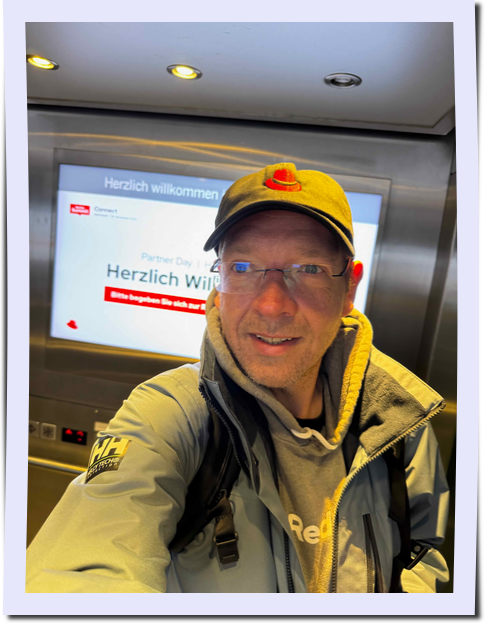
mvn test -Dtest=OnePolaroidTest You should see one_polaroid.png in target/.
Create a Collage from more Polaroids
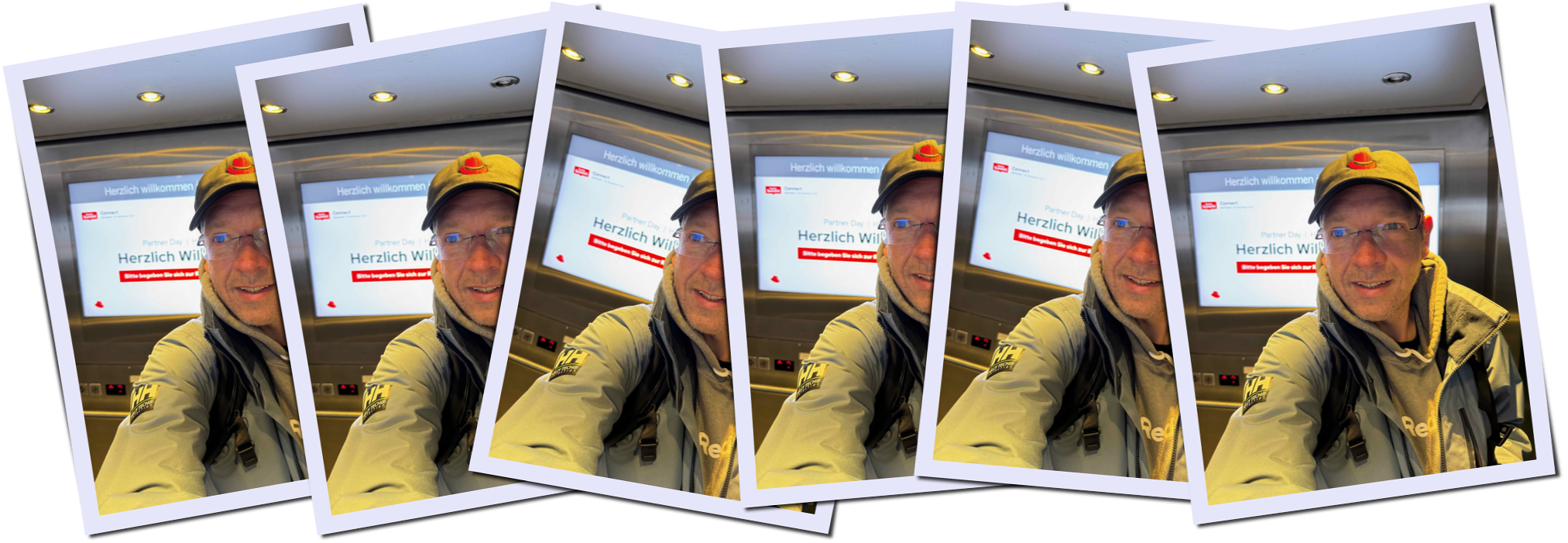
Let’s not stop here. I really wanted to create a little collage features too. This basically takes individual polaroids and arranges them in a collage. I have added some test images to the src/test/resources/ folder.
Create src/test/java/com/example/PolaroidTest.java:
package com.example;

import com.example.service.PolaroidService;
import io.quarkus.logging.Log;
import io.quarkus.test.junit.QuarkusTest;
import jakarta.inject.Inject;
import org.junit.jupiter.api.Test;

import java.nio.file.Files;
import java.nio.file.Path;
import java.nio.file.Paths;
import java.util.ArrayList;
import java.util.List;

@QuarkusTest
public class PolaroidTest {

    @Inject
    PolaroidService polaroidService;

    @Test
    public void generatePolaroidCollage() throws Exception {
        // 1. Collect Input Images
        List<Path> inputs = new ArrayList<>();
        for (int i = 1; i <= 6; i++) {
            // Ensure you have test1.jpg ... test6.jpg in src/test/resources/
            Path p = Paths.get(”src/test/resources/test” + i + “.jpg”);
            if (Files.exists(p)) {
                inputs.add(p);
            } else {
                Log.info(”Missing: “ + p.toAbsolutePath());
            }
        }

        if (inputs.isEmpty()) {
            Log.info(”No inputs found. Skipping test.”);
            return;
        }

        // 2. Generate
        Log.info(”Generating Collage...”);
        byte[] result = polaroidService.createCollage(inputs);

        // 3. Save Output
        Path outputDir = Paths.get(”target”);
        Files.createDirectories(outputDir);
        Path outputFile = outputDir.resolve(”polaroid_collage.jpg”);

        Files.write(outputFile, result);
        Log.info(”Saved to: “ + outputFile.toAbsolutePath());
    }
}
Run tests:
mvn test -Dtest=OnePolaroidTest You should see polaroid_collage.jpg in target/.
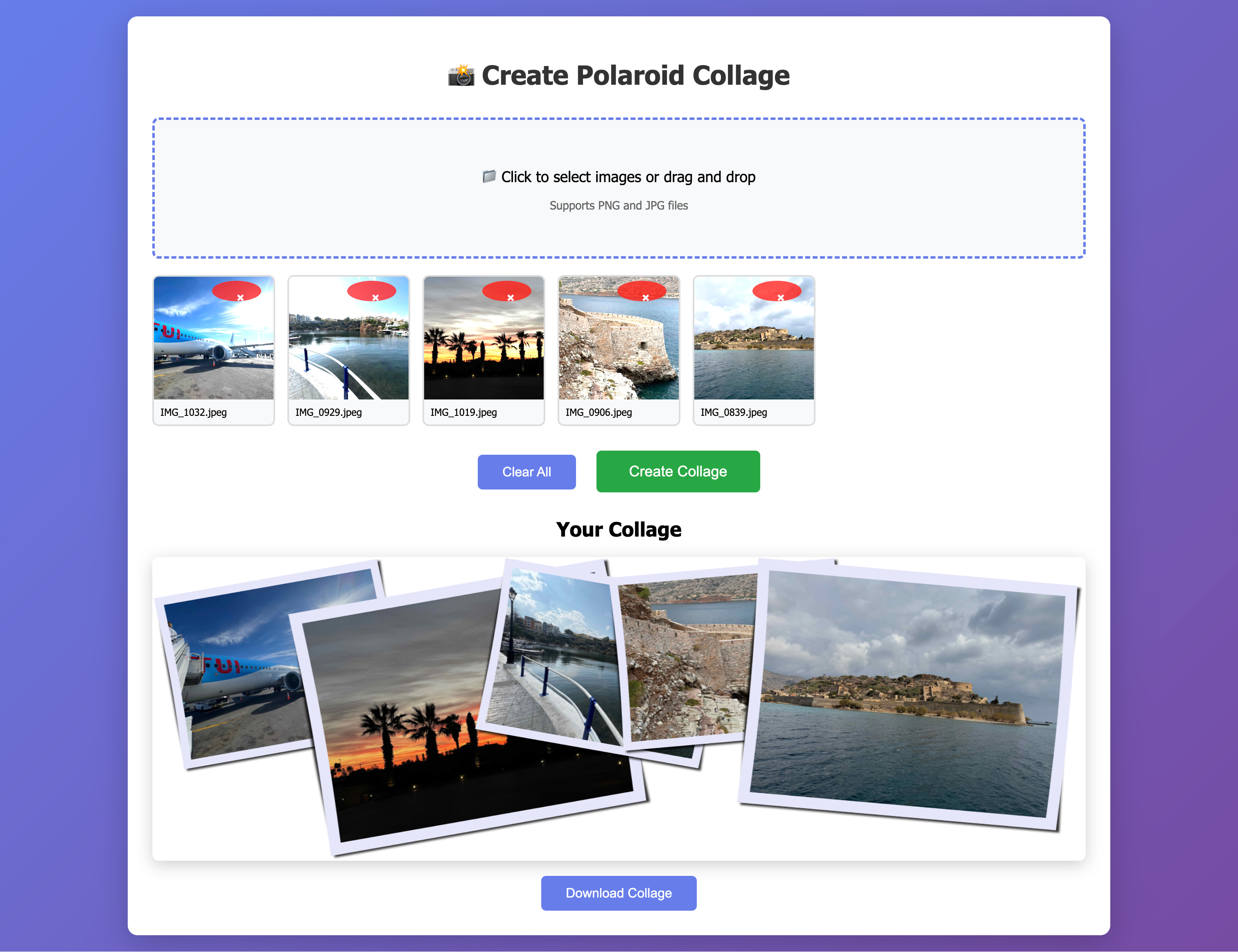
And because this is soo much fun, I also added a little UI to the application that let’s you pick your own images and returns a collage.
Start your application:
quarkus devand point your browser to: http://localhost:8080/
Pick your favorite vacation memories and download your collage:
Memory Management You Must Get Right
The FFM API gives you tools that feel safe, but misuse still causes native leaks. A few rules.
Use confined arenas for request processing.
They clean up everything deterministically.
Never return a MemorySegment from a method if the arena will close.
Always convert to a heap array first.
Explicitly free ImageMagick-allocated memory.
Only memory allocated by the arena is freed by the arena. ImageMagick uses its own allocator.
Validate every native call.
ImageMagick returns 0 on failure.
Production Guidance
Library paths differ across environments. Use:
String lib = System.getProperty(”imagemagick.library”);
System.load(lib);
Run with:
java -Dimagemagick.library=/usr/lib/libMagickWand-7.Q16HDRI.so ...For security, replace:
--enable-native-access=ALL-UNNAMEDwith your module name.
Set ImageMagick resource limits via policy.xml if you process untrusted images.
ImageMagick wands are not thread-safe. Create a wand per request. The binder is a singleton, but the wands are always local.
The combination of Quarkus, Java 25, and the FFM API gives you a modern, safe, high-performance way to bridge Java and native libraries.
Build something fun with it.
What a great article! Keep up the excellent work!
Nice article.
But you didn't use jextract for the bindings. Is there a reason for that?