


I like projects that look playful on the surface but exercise very real enterprise skills underneath.
Image processing, multipart uploads, streaming binary responses, and defensive validation are things we build all the time. The difference here is only the output.
In this tutorial, we will build a Quarkus REST service that accepts an uploaded image and returns a jigsaw-puzzle version of it. The service overlays realistic puzzle piece outlines directly onto the image and streams the result back as a PNG.
No frontend framework.
No JavaScript build chain.
Just HTTP, Java, and Quarkus doing what they do best.
What We Are Building
A REST endpoint:
POST /api/jigsaw/generateIt accepts:
An uploaded image
Optional grid dimensions (rows and columns)
It returns:
A generated PNG image with jigsaw puzzle outlines
The service will:
Validate inputs
Safely handle large uploads
Process images in memory
Stream the result back as binary data
This is the kind of microservice you could easily place behind an API gateway or call from another system.
Prerequisites
Make sure you have the following installed:
Java 21
Maven 3.9+
Quarkus CLI
Create the Quarkus Project
We will use Quarkus REST since it handles multipart uploads and streaming very efficiently. If you don’t want to follow along, you can take a look at the final project in my Github repository!
quarkus create app com.example:jigsaw-puzzle \
  --extension=rest-jackson
cd jigsaw-puzzle
Start dev mode once to verify everything works:
./mvnw quarkus:devVisit http://localhost:8080/q/dev to confirm Quarkus is running.
Configure Upload Limits
We are dealing with images. Default limits are too small.
Edit src/main/resources/application.properties:
quarkus.http.limits.max-body-size=50MThis caps uploads at 50 MB and avoids accidental abuse.
Define the Multipart Request Model
Quarkus REST allows us to map multipart form data directly to a Java object.
Rename the scaffolded GreetingResource to JigsawPuzzleResource.java, replace it’s contents and make sure to delete the GreetingTests:
package com.example;

import java.awt.image.BufferedImage;
import java.io.ByteArrayInputStream;
import java.io.ByteArrayOutputStream;

import javax.imageio.ImageIO;

import org.jboss.resteasy.reactive.PartType;

import jakarta.ws.rs.BeanParam;
import jakarta.ws.rs.Consumes;
import jakarta.ws.rs.FormParam;
import jakarta.ws.rs.POST;
import jakarta.ws.rs.Path;
import jakarta.ws.rs.Produces;
import jakarta.ws.rs.core.MediaType;
import jakarta.ws.rs.core.Response;

@Path(”/api/jigsaw”)
public class JigsawPuzzleResource {

    @POST
    @Path(”/generate”)
    @Consumes(MediaType.MULTIPART_FORM_DATA)
    @Produces(”image/png”)
    public Response generateJigsawPuzzle(@BeanParam JigsawRequest request) {
        try {
            int rows = request.rows != null ? request.rows : 4;
            int cols = request.cols != null ? request.cols : 4;

            if (rows < 2 || rows > 20 || cols < 2 || cols > 20) {
                return Response.status(Response.Status.BAD_REQUEST)
                        .entity(”Grid size must be between 2 and 20”)
                        .build();
            }

            BufferedImage inputImage = ImageIO.read(
                    new ByteArrayInputStream(request.image));

            if (inputImage == null) {
                return Response.status(Response.Status.BAD_REQUEST)
                        .entity(”Invalid image format”)
                        .build();
            }

            JigsawPuzzleGenerator generator = new JigsawPuzzleGenerator(inputImage, rows, cols);

            BufferedImage puzzleImage = generator.generatePuzzle();

            ByteArrayOutputStream baos = new ByteArrayOutputStream();
            ImageIO.write(puzzleImage, “PNG”, baos);

            return Response.ok(baos.toByteArray())
                    .header(
                            “Content-Disposition”,
                            “attachment; filename=\”jigsaw-puzzle.png\”“)
                    .build();

        } catch (Exception e) {
            return Response.status(Response.Status.INTERNAL_SERVER_ERROR)
                    .entity(”Error processing image: “ + e.getMessage())
                    .build();
        }
    }

    public static class JigsawRequest {

        @FormParam(”image”)
        @PartType(MediaType.APPLICATION_OCTET_STREAM)
        public byte[] image;

        @FormParam(”rows”)
        @PartType(MediaType.TEXT_PLAIN)
        public Integer rows;

        @FormParam(”cols”)
        @PartType(MediaType.TEXT_PLAIN)
        public Integer cols;
    }
}
Key points:
No temporary files
No manual parsing
Clean validation up front
Binary response streaming
Implement the Jigsaw Puzzle Generator
This is where the fun happens. The not so easy kind of fun though.
Create JigsawPuzzleGenerator.java:
package com.example;

import java.awt.BasicStroke;
import java.awt.Color;
import java.awt.Graphics2D;
import java.awt.RenderingHints;
import java.awt.geom.Path2D;
import java.awt.image.BufferedImage;
import java.util.ArrayList;
import java.util.List;
import java.util.Random;

public class JigsawPuzzleGenerator {

    private final BufferedImage image;
    private final int rows;
    private final int cols;
    private final Random random = new Random();

    private int[][] horizontalEdges;
    private int[][] verticalEdges;

    public JigsawPuzzleGenerator(BufferedImage image, int rows, int cols) {
        this.image = image;
        this.rows = rows;
        this.cols = cols;
        generatePuzzlePattern();
    }

    private void generatePuzzlePattern() {
        horizontalEdges = new int[rows][cols - 1];
        verticalEdges = new int[rows - 1][cols];

        for (int r = 0; r < rows; r++) {
            for (int c = 0; c < cols - 1; c++) {
                horizontalEdges[r][c] = random.nextBoolean() ? 1 : -1;
            }
        }

        for (int r = 0; r < rows - 1; r++) {
            for (int c = 0; c < cols; c++) {
                verticalEdges[r][c] = random.nextBoolean() ? 1 : -1;
            }
        }
    }

    public BufferedImage generatePuzzle() {
        int width = image.getWidth();
        int height = image.getHeight();

        BufferedImage result = new BufferedImage(width, height, BufferedImage.TYPE_INT_ARGB);
        Graphics2D g2 = result.createGraphics();

        // High quality rendering
        g2.setRenderingHint(RenderingHints.KEY_ANTIALIASING, RenderingHints.VALUE_ANTIALIAS_ON);
        g2.setRenderingHint(RenderingHints.KEY_STROKE_CONTROL, RenderingHints.VALUE_STROKE_PURE);
        g2.setRenderingHint(RenderingHints.KEY_RENDERING, RenderingHints.VALUE_RENDER_QUALITY);

        // 1. Draw the base image
        g2.drawImage(image, 0, 0, null);

        double pieceWidth = (double) width / cols;
        double pieceHeight = (double) height / rows;
        double baseSize = Math.min(pieceWidth, pieceHeight);

        // --- COLLECT PATHS ---
        // Instead of drawing immediately, we collect all paths into a list.
        List<Path2D> allPaths = new ArrayList<>();

        // Generate Horizontal Paths
        for (int r = 0; r < rows; r++) {
            for (int c = 0; c < cols - 1; c++) {
                Path2D edge = new Path2D.Double();
                double x = (c + 1) * pieceWidth;
                double y1 = r * pieceHeight;
                double y2 = (r + 1) * pieceHeight;
                edge.moveTo(x, y1);
                long seed = (long) r * 12345 + c;
                createOrganicEdge(edge, x, y1, x, y2, horizontalEdges[r][c], baseSize, seed);
                allPaths.add(edge); // Add to list instead of drawing
            }
        }

        // Generate Vertical Paths
        for (int r = 0; r < rows - 1; r++) {
            for (int c = 0; c < cols; c++) {
                Path2D edge = new Path2D.Double();
                double x1 = c * pieceWidth;
                double x2 = (c + 1) * pieceWidth;
                double y = (r + 1) * pieceHeight;
                edge.moveTo(x1, y);
                long seed = (long) r * 67890 + c + 9999;
                createOrganicEdge(edge, x1, y, x2, y, verticalEdges[r][c], baseSize, seed);
                allPaths.add(edge); // Add to list instead of drawing
            }
        }

        // --- DRAWING PHASE ---

        // Shadow Settings
        float shadowOffset = 2.5f; // Pixels to shift down-right
        // Very transparent black, slightly thicker stroke for a softer look
        Color shadowColor = new Color(0, 0, 0, 90);
        BasicStroke shadowStroke = new BasicStroke(3.5f, BasicStroke.CAP_ROUND, BasicStroke.JOIN_ROUND);

        // Main Line Settings
        Color mainColor = new Color(30, 30, 30, 220); // Dark grey/black
        BasicStroke mainStroke = new BasicStroke(2.0f, BasicStroke.CAP_ROUND, BasicStroke.JOIN_ROUND);


        // PASS 1: Draw Shadow (Shifted the graphics context)
        g2.translate(shadowOffset, shadowOffset);
        g2.setColor(shadowColor);
        g2.setStroke(shadowStroke);
        for (Path2D path : allPaths) {
            g2.draw(path);
        }
        g2.translate(-shadowOffset, -shadowOffset); // Reset shift back to origin

        // PASS 2: Draw Main Cut Line (At original position)
        g2.setColor(mainColor);
        g2.setStroke(mainStroke);
        for (Path2D path : allPaths) {
            g2.draw(path);
        }

        // Draw border (optional: you might want to shadow this too, but usually just the cuts)
        g2.setStroke(new BasicStroke(1.5f));
        g2.drawRect(0, 0, width - 1, height - 1);

        g2.dispose();
        return result;
    }

    private void createOrganicEdge(
            Path2D path,
            double x1, double y1,
            double x2, double y2,
            int tabType,
            double baseSize,
            long seed) {

        Random localRnd = new Random(seed);

        double dx = x2 - x1;
        double dy = y2 - y1;
        double len = Math.sqrt(dx * dx + dy * dy);

        double ux = dx / len;
        double uy = dy / len;
        double vx = -uy * tabType;
        double vy = ux * tabType;

        // --- GEOMETRY CONFIGURATION ---
        double midPoint = 0.5 + (localRnd.nextDouble() * 0.1 - 0.05);

        // NARROW STEM configuration
        double tabHeight = baseSize * (0.24 + localRnd.nextDouble() * 0.04);
        double neckWidth = baseSize * (0.08 + localRnd.nextDouble() * 0.02);
        double headWidth = baseSize * (0.28 + localRnd.nextDouble() * 0.05);

        if (headWidth < neckWidth * 2.0) headWidth = neckWidth * 2.0;

        double baseGap = neckWidth * 2.2;
        double waveAmp = baseSize * 0.02;

        // --- POSITIONS ---
        double tStart = midPoint - (baseGap / 2.0) / len;
        double tEnd   = midPoint + (baseGap / 2.0) / len;

        double xStart = x1 + ux * (len * tStart);
        double yStart = y1 + uy * (len * tStart);
        double xEnd   = x1 + ux * (len * tEnd);
        double yEnd   = y1 + uy * (len * tEnd);

        // 1. Draw Wavy Line TO start
        drawWavyLine(path, x1, y1, xStart, yStart, ux, uy, vx, vy, waveAmp, localRnd);

        // --- MUSHROOM GENERATION ---
        double skew = (localRnd.nextDouble() - 0.5) * (baseSize * 0.05);

        double xPeak = x1 + ux * (len * midPoint) + vx * tabHeight + ux * skew;
        double yPeak = y1 + uy * (len * midPoint) + vy * tabHeight + uy * skew;

        double headLowOffset = tabHeight * 0.35;
        double xHeadLeft = xPeak - ux * (headWidth / 2.0) - vx * headLowOffset;
        double yHeadLeft = yPeak - uy * (headWidth / 2.0) - vy * headLowOffset;

        double xHeadRight = xPeak + ux * (headWidth / 2.0) - vx * headLowOffset;
        double yHeadRight = yPeak + uy * (headWidth / 2.0) - vy * headLowOffset;

        // Left Side
        double cx1 = xStart + vx * (tabHeight * 0.15) + ux * (neckWidth * 0.2);
        double cy1 = yStart + vy * (tabHeight * 0.15) + uy * (neckWidth * 0.2);
        double cx2 = xHeadLeft - vx * (tabHeight * 0.25);
        double cy2 = yHeadLeft - vy * (tabHeight * 0.25);
        path.curveTo(cx1, cy1, cx2, cy2, xHeadLeft, yHeadLeft);

        // Cap Left
        double cx3 = xHeadLeft + vx * (tabHeight * 0.25);
        double cy3 = yHeadLeft + vy * (tabHeight * 0.25);
        double cx4 = xPeak - ux * (headWidth * 0.25);
        double cy4 = yPeak - uy * (headWidth * 0.25);
        path.curveTo(cx3, cy3, cx4, cy4, xPeak, yPeak);

        // Cap Right
        double cx5 = xPeak + ux * (headWidth * 0.25);
        double cy5 = yPeak + uy * (headWidth * 0.25);
        double cx6 = xHeadRight + vx * (tabHeight * 0.25);
        double cy6 = yHeadRight + vy * (tabHeight * 0.25);
        path.curveTo(cx5, cy5, cx6, cy6, xHeadRight, yHeadRight);

        // Right Side
        double cx7 = xHeadRight - vx * (tabHeight * 0.25);
        double cy7 = yHeadRight - vy * (tabHeight * 0.25);
        double cx8 = xEnd + vx * (tabHeight * 0.15) - ux * (neckWidth * 0.2);
        double cy8 = yEnd + vy * (tabHeight * 0.15) - uy * (neckWidth * 0.2);
        path.curveTo(cx7, cy7, cx8, cy8, xEnd, yEnd);

        // 2. Draw Wavy Line FROM end
        drawWavyLine(path, xEnd, yEnd, x2, y2, ux, uy, vx, vy, waveAmp, localRnd);
    }

    private void drawWavyLine(
            Path2D path,
            double x1, double y1,
            double x2, double y2,
            double ux, double uy,
            double vx, double vy,
            double waveAmp,
            Random rnd) {

        double dx = x2 - x1;
        double dy = y2 - y1;
        double segmentLen = Math.sqrt(dx * dx + dy * dy);

        double cp1x = x1 + ux * (segmentLen * 0.35) + vx * (rnd.nextBoolean() ? waveAmp : -waveAmp);
        double cp1y = y1 + uy * (segmentLen * 0.35) + vy * (rnd.nextBoolean() ? waveAmp : -waveAmp);
        double cp2x = x1 + ux * (segmentLen * 0.65) + vx * (rnd.nextBoolean() ? waveAmp : -waveAmp);
        double cp2y = y1 + uy * (segmentLen * 0.65) + vy * (rnd.nextBoolean() ? waveAmp : -waveAmp);

        path.curveTo(cp1x, cp1y, cp2x, cp2y, x2, y2);
    }
}
The Math Behind the Jigsaw
At first glance, the jigsaw generator looks like a drawing exercise. In reality, it is mostly geometry and bookkeeping. The drawing part is almost trivial once the math is right.
This section explains how the puzzle is constructed and why the pieces always fit.
Separate the Idea from the Drawing
The implementation works in two clear phases.
In the pattern phase, the code decides how pieces connect.
In the rendering phase, it turns those decisions into lines and curves.
This separation matters. The generator never thinks in pixels when deciding the puzzle structure. It only decides relationships between pieces. Rendering comes later and can change without breaking the logic.
That decoupling is what keeps the code readable and extensible.
A Grid of Relationships, Not Shapes
The puzzle is represented as a grid of edge relationships.
Two matrices are used:
One for vertical boundaries between pieces
One for horizontal boundaries between pieces
Each entry stores a simple value:
+1means a tab sticks out-1means a tab goes in
There is no zero state. Every internal edge is either an outie or an innie.
This design guarantees complementarity.
If one piece has a protruding tab, its neighbor automatically has the matching indentation. No special cases. No alignment fixes later.
This is the core invariant of the system.
Why Two Edge Matrices Exist
The matrices are intentionally offset in size.
Horizontal edges are stored as
rows x (cols - 1)Vertical edges are stored as
(rows - 1) x cols
This mirrors the grid topology.
Edges live between pieces, not inside them.
It also prevents duplication. Each shared edge is defined exactly once, but used twice during rendering. Once for each neighboring piece, with the sign inverted.
That inversion is the mathematical guarantee that pieces fit.
From Straight Lines to Organic Tabs
Once an edge is known to be flat, protruding, or indented, the renderer turns it into geometry.
The basic edge direction is expressed as a vector:
One unit vector along the edge
One perpendicular unit vector for tab depth
This vector-based approach means the same math works for all edges. Top, bottom, left, right. Orientation does not matter.
Tabs are built by offsetting control points along the perpendicular vector.
Depth and width are defined as percentages of the edge length.
This makes the puzzle scale naturally with image size.
No magic constants. Everything is proportional.
Bézier Curves Do the Heavy Lifting
Tabs are not circles or arcs. They are Bézier curves.
Each tab is formed by a small sequence of quadratic curves that:
Leave the straight edge
Reach a peak or valley
Return smoothly back to the edge
The control points are placed relative to:
The midpoint of the edge
The perpendicular direction
The chosen tab direction
This produces smooth, continuous curves without sharp angles. The result feels hand-cut rather than machine-perfect.
Controlled Randomness
Randomness is used sparingly and deliberately.
Only two things are randomized:
Whether an edge is an outie or an innie
The exact curvature shape within safe bounds
The randomness never affects connectivity.
It only affects aesthetics.
This distinction is important. Structure is deterministic. Appearance is variable.
That is why the puzzle always fits, yet never looks repetitive.
Vector Math Keeps Everything Symmetric
All edge construction relies on unit vectors.
One vector points along the edge.
One vector points outward or inward.
By switching signs on these vectors, the same math produces:
Tabs
Indentations
Horizontal edges
Vertical edges
There is no special logic per direction.
This keeps the code compact and mathematically honest.
Drawing in Passes Creates Depth
The generator does not draw edges once.
It draws them twice.
First pass:
Slight offset
Semi-transparent stroke
Second pass:
Original position
Darker, sharper stroke
This is not graphics trickery. It is simple vector math with a small translation. But it creates visual depth that makes the cuts feel real instead of painted on.
The jigsaw generator is mostly geometry, not drawing.
Edge matrices define topology.
Vectors define direction.
Bézier curves define smoothness.
Randomness adds life without breaking structure.
Get the math right, and the puzzle almost draws itself.
Run and Test
Start the application:
./mvnw quarkus:devTest with curl:
curl -X POST http://localhost:8080/api/jigsaw/generate \
  -F "image=@myimage.png" \
  -F "rows=5" \
  -F "cols=6" \
  --output puzzle.png
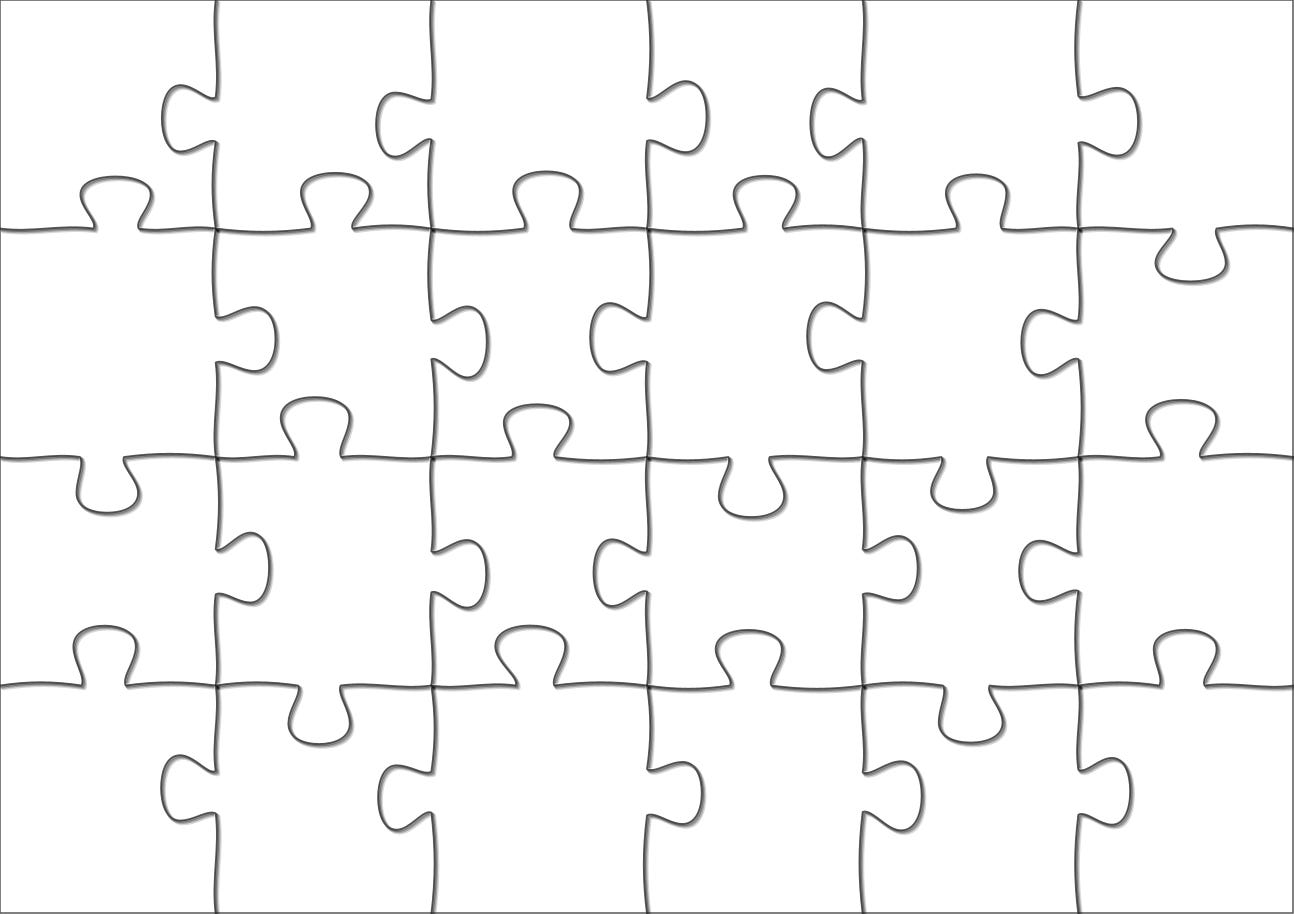
Open puzzle.png.
You should see your image with puzzle outlines rendered on top. Don’t get motion sick looking at the below render. The shadows give this a wild look.
What You Learned
You built a complete binary-processing REST service with Quarkus.
You handled multipart uploads cleanly.
You streamed images back efficiently.
You combined HTTP, validation, and Java2D without framework noise.
This is modern Java doing practical work.
Sometimes the best demos are the ones that quietly prove how capable the platform really is.