


I started the IBM Bob Playbook to keep track of what I was learning about Bob and share it internally. Sometimes I only need a short how-to to explain a task. Other topics need a guide or a tutorial where I can walk through the decisions. I also wanted to connect these pieces through a learning path, so someone new to Bob would have a place to start.
At first, I wrote and maintained the static HTML myself. As I added more content, I wanted to spend less time editing pages around it. So I moved to static site generation and started building the Playbook with Quarkus Roq. I could work with Java and templates, then publish the generated files as a static site.
Roq reads Markdown files and the YAML metadata at the top of each page. It groups content into collections and uses Qute templates to generate the site on Quarkus. That gave me a way to write an article once and show it in different places. I call the main articles posters. A reader might find one through the learning path, then return to it later through the cookbook or a topic page.
The site grew to include a prompt library and a changelog as well. But each new view added something else for me to maintain. Adding a poster could mean editing a separate cookbook list before anyone would find it there. I also had to copy diagram changes into the pages and run a separate command to update search. Roq generated the pages, but I still had to remember the work around them.
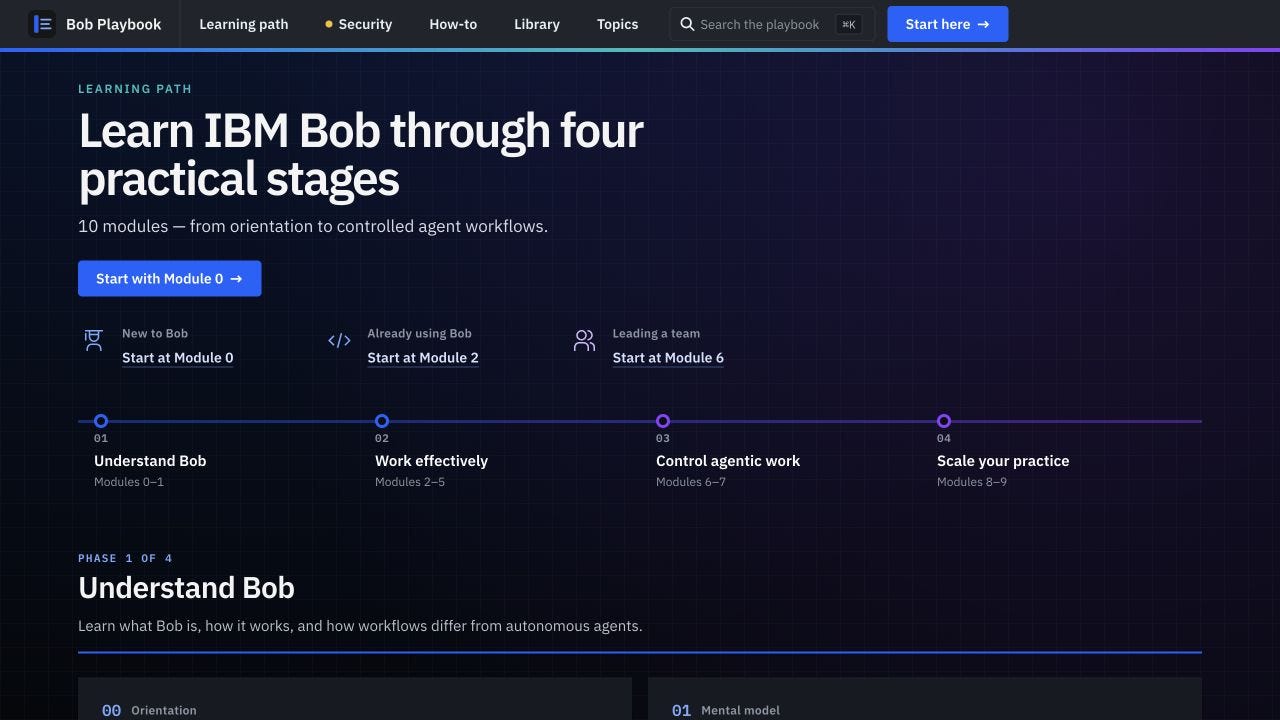
The learning path gives readers a sequence through the same content they can find in the cookbook and topic pages.
The site now has 78 poster Markdown files, with 50 cookbook assignments, and generates 85 tag pages. At that size, I wanted to stop writing down information I could more easily glue into Roq code. The changes and customizations below show where I moved some of the manual work into Java helpers and the build, and where I kept the decisions for myself and why.
I am running the Playbook build locally on Java 25 with Quarkus 3.39.2 and Roq 2.1.9. The search build uses Pagefind 1.5.2, and the Kroki images use version 0.30.1. I’ve included selected excerpts rather than a complete project because some of the content reflects IBM internal things and I just can not open it up at this time. I was also helpless enough weeks ago to file some of my questions as bugs against Roq. This blog and the comments on my own Roq issues now contain the complete receipt that I am using.
Let a page declare where it belongs
My cookbook originally read five groups and ordered slug lists from data/howto.yaml. The card templates then searched the poster collection to find each page. I had also defined the groups separately for the homepage.
So the recipe lived in one file, while another file decided where readers would find it. An ordered entry could bypass the group membership check. If I used an unknown group, the page could disappear from the cookbook. The templates also kept looking up pages that Roq had already loaded.
I moved the group and optional position into the poster’s metadata:
howto: connect-tools
howto_order: 10
My Java code reads these custom fields. HowtoGroup defines the five group IDs and their display order, along with the text that describes each group. HowtoExtensions.howtoGroups(RoqCollection) goes through the posters and checks their metadata. It returns groups containing the matching DocumentPage objects.
Qute connects this method to the template through @TemplateExtension. The first parameter of a static method tells Qute which object the method extends. Here, howtoGroups takes a RoqCollection, so I can call it as a computed property on that collection. You can do this in your application code with Qute’s template extension mechanism. You don’t need a separate Quarkus deployment module.
My template now loops over the result:
{#for group in site.collections.poster.howtoGroups}
  {#for poster in group.posters}
    {#include partials/howto-recipe-card
        poster=poster groupId=group.id groupTitle=group.title /}
  {/for}
{/for}
Here, poster is the collection name, and partials/howto-recipe-card is my existing card template. The homepage reads the same groups. Each card gets a page object directly, so the template can display it without another lookup.
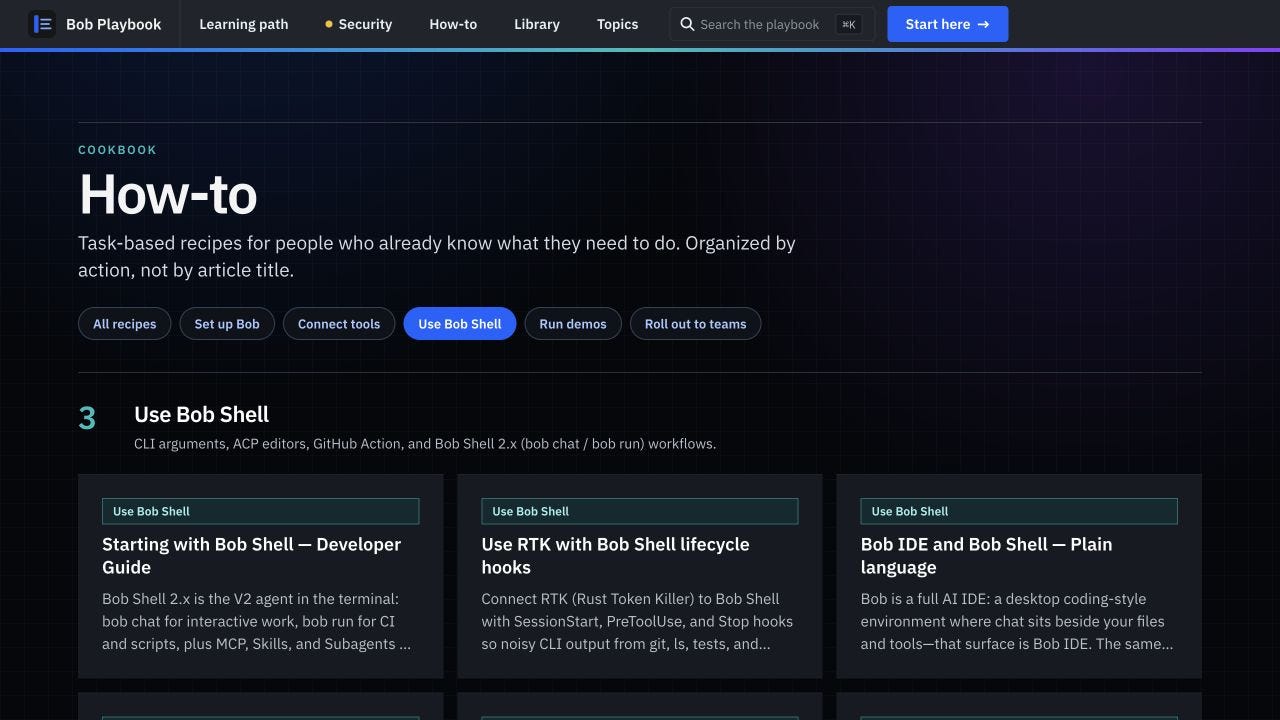
The cookbook reads the groups from my Java helper. Each card comes from a poster that declares its membership.
When I migrated away from the yaml centric approach I kept the existing positions of all 50 recipes. Only for new recipes, the helper puts numbered entries first and unnumbered entries afterward. It then sorts by title, ignoring case, and uses the page ID to break any remaining ties. I can leave out howto_order when I don’t need a particular position. The recipe will still appear.
The helper also checks what I write. An unknown group stops rendering with an error. So does an order without a group, or an invalid order value. The assignment checker catches these cases before commit too. (A small node script that just goes over the posters) Java gives me a place to enforce those rules, but it doesn’t make the YAML metadata type-safe by itself.
Keep editorial choices and derive the facts
Topic pages gave me a concrete example of what duplicated metadata can do. My cache page returned HTTP 200 but showed no hub content. Looks like I messed that one up when doing my manual updates. The tokens topic claimed eight posters when nine existed. I had copied facts from the posters into data/tags.yaml, and those copies had fallen behind. The curated lists could also leave out pages that carried the right tag.
Roq’s tagging plugin still generates the tag pages today. I added TagExtensions to build the complete reading list from the poster collection and count its members. I can still write a title and summary through TagTopics and TagGroup. Those definitions also hold the topic categories and related links.
If I haven’t written a definition for a tag, the helper gives it a readable title and places it under “Other topics.” Readers still get a complete page. I can write its introduction later without hiding the articles in the meantime.
I also wanted to keep control over where a reader starts. A poster can declare:
tags: [orientation, workflows, context, safety]
tag_order:
  orientation: 1
tag_start: [orientation]
The tags field says which topics the page belongs to. My custom tag_order field gives it a position within one topic, while tag_start makes it the featured starting page. A page can have a different position in another topic’s reading list.
The helper shows the featured page once and lists the other members after it. Pages without an order stay in the list. It rejects an order or featured selection for a tag the poster doesn’t carry. It also rejects two posters claiming the same featured position and checks the related-topic references.
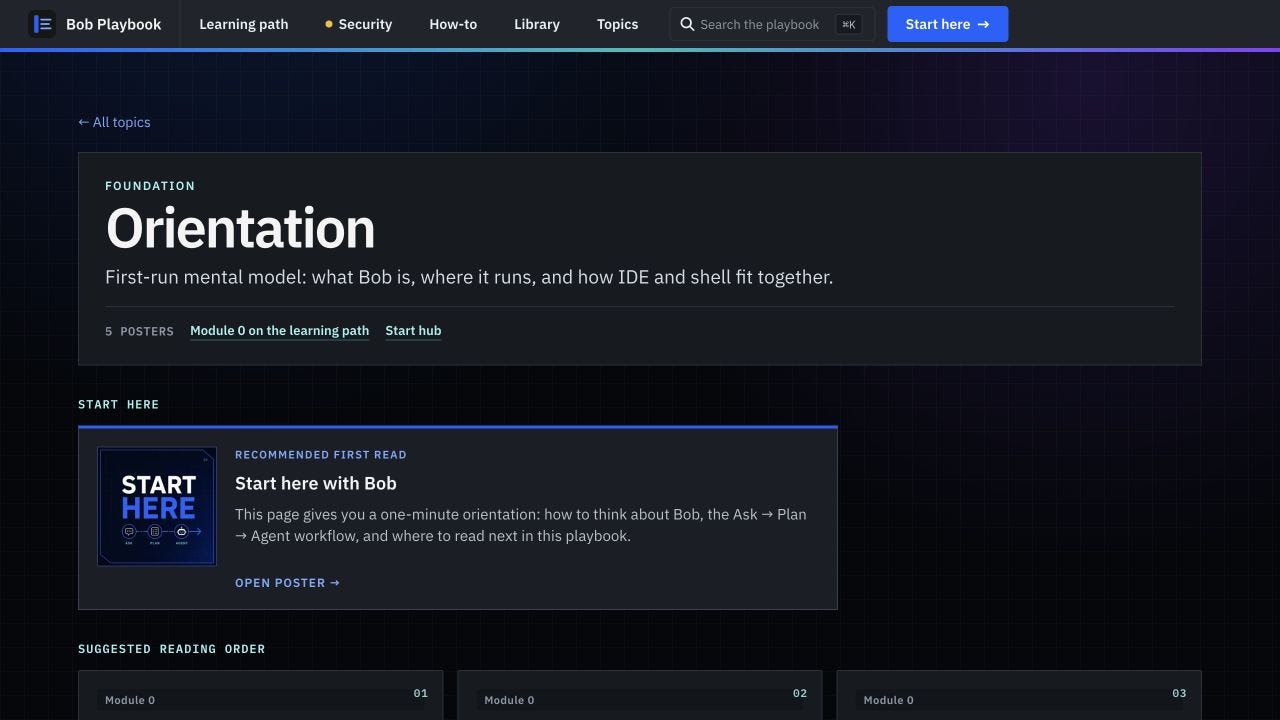
I choose the starting page and write the introduction. The helper finds the members and counts them.
I removed data/tags.yaml, but I still keep YAML files for things such as navigation. Someone has to decide how to organize the site. I also need to write a topic summary, while the code can count its pages. That’s how I decide what to keep as configuration.
For this project, I put group and topic descriptions in Java. It’s easy for me to edit them there, although every text change now needs a code edit. If your editors work only in content files, you could keep those descriptions in Roq Data and let Java calculate the page lists and counts.
Give release metadata a precise meaning
I could update a poster and forget to change whats-new.yaml or changelog.yaml. When I checked, I found five September posters, but only three entries on the homepage even though it had room for four. So this was also moving apart from what I had planned for the feature.
Both views now read these custom fields from the page’s FMT data:
release: "2026-09"
release_kind: updated
In WhatsNewExtensions, latestAdditions(4) picks entries marked new. It sorts by month, newest first, and then alphabetically within each month. If the latest month has too few entries, older months fill the remaining slots. releaseGroups builds the changelog sections with readable month headings. It includes updated entries, which the homepage additions leave out.
I no longer have to advance an active-month setting. The helper stops rendering if I enter an invalid month, leave half the field pair out, or use an unknown release kind.
I chose a calendar month for the “Updated” badge. The code reads YearMonth.now() on the build machine and shows the badge during the entry’s month. So an update from September 30 loses its badge when I build the site in October. It doesn’t get a rolling 30-day window. The deployed page keeps its old badge until I build and deploy again, and I leave release_kind: updated in the source because it still describes the entry.
This model gives each poster one release entry. Changing that entry moves the poster out of its previous place in the changelog. This is a deliberate small marketing move for the Playbook and not a real changelog. I agree. But I only want my readers to find what I had recently updated and get a rough idea about what has been released in which month. Before you use something similar, decide what you want the changelog to remember. That choice determines whether metadata on the page is enough or you need to implement some more logic.
Keep the editable diagram in one place
I used to edit Excalidraw JSON in a separate file, then run a script to copy a minified version into the poster’s diagram block. If I forgot the script, the build still succeeded and showed the old diagram. Moving a box could also leave a large one-line diff in the Markdown file.
I described this in Roq issue #1051. At first, I thought I had to put the diagram source directly in the block. But Roq 2.1.9 evaluates the Qute content inside the block before passing the text to Kroki. That meant I could read the source through Roq Data without a dedicated src parameter. I added the working setup to the follow-up about external JSON.
I now keep the editable files under data/diagrams/. Roq Data makes them available through the diagrams data bean. For a file named agents-hub.excalidraw.json, the poster can use:
{#diagram language="excalidraw" alt="Playbook AGENTS.md hub"
    width=640 height=400 diagramOutputFormat="svg" asciidoc=false}
{=cdi:diagrams.get('agents-hub.excalidraw').raw}
{/}
I’ve shortened the filename for this example. Roq removes only the final .json suffix from the lookup key, leaving .excalidraw in place. The .raw operation stops Qute from HTML-escaping the JSON before it reaches the diagram block. I also enabled Qute’s alternative expression syntax:
quarkus.qute.alt-expr-syntax=trueThat’s why the example uses {=...}. Roq Data reads the source, and the diagram plugin sends it to Kroki to produce SVG. I can now edit the JSON and reload or rebuild. Every page that references the file gets the changed diagram, so I no longer need the sync script or the second copy.
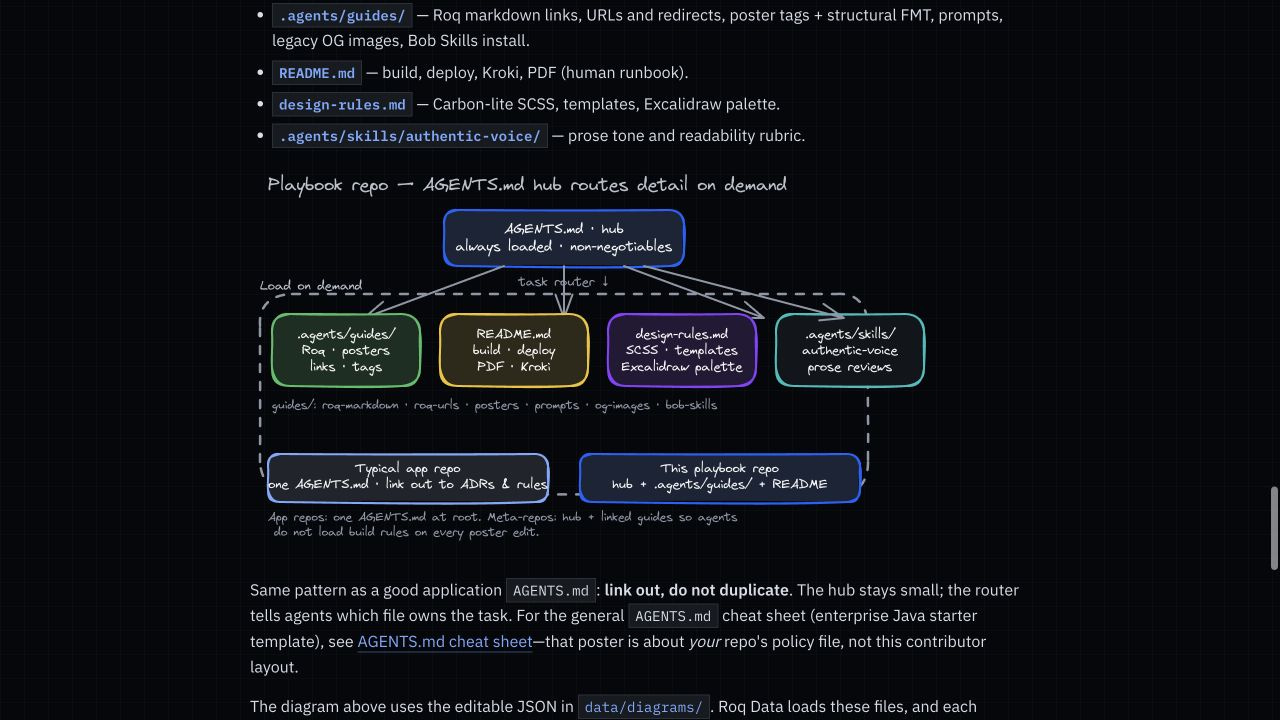
This is the SVG rendered in the page from the shared Excalidraw JSON source.
Let the generation command manage its containers
The other part of #1051 came from starting Kroki. Excalidraw needs a Kroki gateway and its companion service. My Compose stack also includes the Mermaid companion because the gateway alone couldn’t render all the diagrams on this site.
Dev mode started the stack for me. For batch generation, I ran a separate shell script, which could conflict with dev mode over port 8000. I had disabled Compose Dev Services outside %dev and %test, then assumed the extra startup step came from a framework limit.
I had confused the configuration profile with the launch mode. In Quarkus 3.39.2, quarkus:run uses RUN launch mode. It supports Dev Services while using the production configuration profile. I recorded the working setup in the configuration correction on #1051.
I now use:
quarkus.compose.devservices.enabled=true
quarkus.rest-client.kroki-api.url=http://${kroki.host:localhost}:${kroki.port:8000}
I also let Compose assign the gateway’s host port instead of fixing it at 8000. This excerpt shows the changed settings inside the existing stack. I kept the rest of that stack, including its images and companion services:
services:
  kroki:
    ports:
      - "8000"
    labels:
      io.quarkus.devservices.compose.config_map.port.8000: kroki.port
The mapping puts the assigned host port into kroki.port, and the REST client URL reads it from there. Setting that URL also stops Roq from starting its built-in gateway-only Dev Service. You can read more about the port mapping in the Compose Dev Services guide.
Quarkus now manages my stack in dev mode and during quarkus:run. The build machine needs Podman with Compose support. A plain package or java -jar command won’t start Dev Services. Also, Kroki’s port and the site’s HTTP port are separate settings. If you run dev mode and batch generation together, you still need to give the sites different explicit ports.
The generated pages contain SVG. Once I publish them, readers don’t need a Kroki service behind the site. It’s all static assets. Exactly what I needed to host this on github pages.
Decide what a search result should represent
In Roq issue #1050, I recorded roughly 1,154 Lunr index documents, including 934 section fragments. This was the earlier Roq 2.1.4 setup. One page could produce several index entries. And Lunr was my obvious first choice because there is a Roq plug-in for it. So I went with it.
And I only wanted readers to find a poster or guide. BUT turns out that this is just not possible with the way Lunr is set up. Instead, pages competed with their own heading fragments and text from other parts of the site. Typing How the could lead to an unrelated prompt fragment instead of “How the Bob Playbook Is Made.”
I tried excluding prompt pages and increasing the poster boosts. That removed prompt titles along with their bodies, and the boosts still didn’t produce the results I wanted. A custom search override worked in simulation, but I rolled it back after problems with a duplicate UI and bundling. These were the results on my site with the page structure I build, so please don’t read this as “Lunr isn’t working”. I just had different requirements.
I moved to Pagefind, which reads the generated HTML. I could then choose what to index in the templates where I already separate the content from navigation. With Pagefind’s indexing controls, data-pagefind-body selects the main content and data-pagefind-ignore leaves text within it out of the index.
For example, I can keep a prompt’s title and summary searchable without indexing its copy-and-paste body. Readers can also search its role and mode. Topic pages keep their descriptions in search, while I exclude the repeated reading-list cards. Pagefind skips alias pages without the selected body, and I limit the indexing glob to **/index.html.
That gives me direct control over the text readers search. I still wouldn’t say that every query now ranks correctly. But the results work a lot better in my perspective.
I also had to add my own search overlay which I kept small. It initializes the bundle when you open it and waits 200 milliseconds after typing before searching. It loads eight result snippets concurrently, then fetches the next batch when you choose “Show more.” Sequence checks stop an old query’s slow response from replacing the current results. I added those behaviors in the overlay myself. More code to maintain and not as easy as a plug-in but a lot more flexibility for the search behaviour.
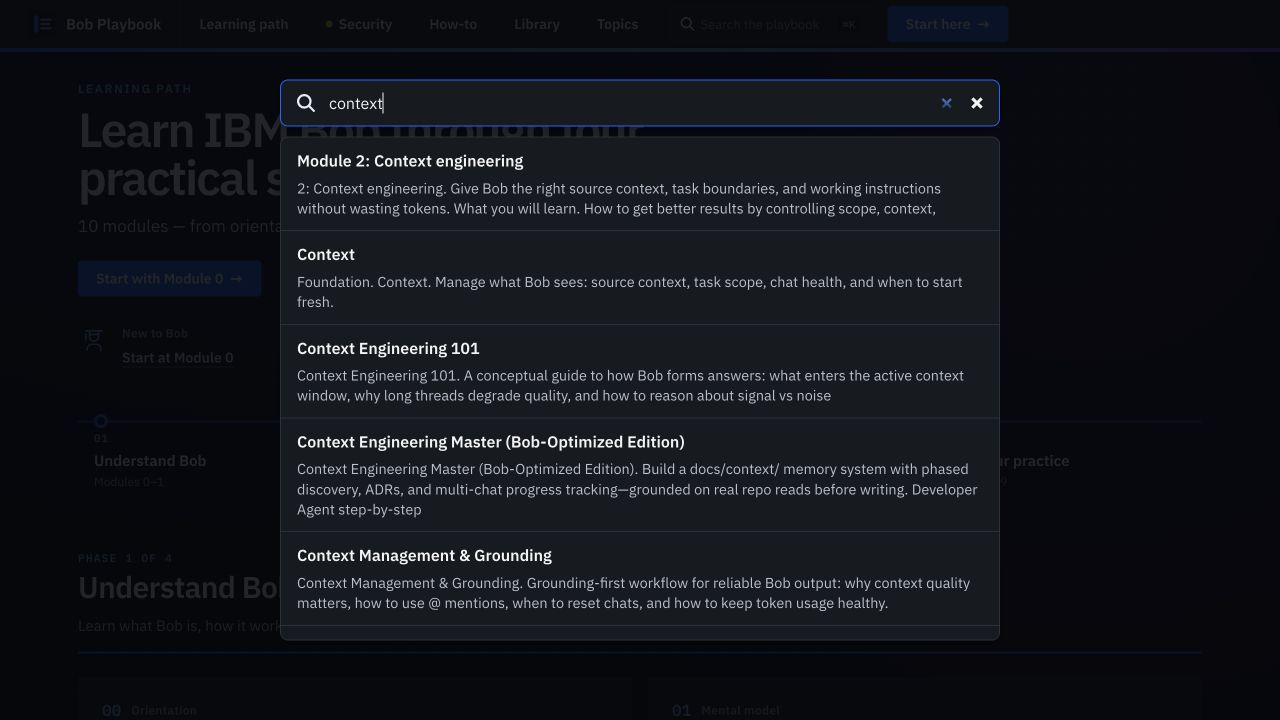
Search results from the generated site served locally with its Pagefind bundle. Dev mode alone doesn’t create that index.
Build search before declaring the site complete
Pagefind needs the HTML before it can index anything. I originally generated the site, ran indexing, and then copied the output with manual Bash commands. And I had to remember the order. Guess what happened more than once. So I needed to integrate this with my build somehow.
I added a static-site Maven profile to run those build steps in order. It enables Roq batch generation and binds the Quarkus Maven plugin’s run goal to pre-integration-test. Then exec-maven-plugin calls the existing Pagefind script in post-integration-test.
Maven now runs through these phases:
packageprepares the Quarkus application.pre-integration-testruns it to generate the static site, with the required diagram services.post-integration-testindexes the generated HTML.A successful
verifyallows the copy to the publishing directory.
Indexing during package would run too early here because Roq writes the static output during quarkus:run. I use the later phases to put the commands in order; I haven’t added a JUnit site test suite. Pagefind describes the same requirement in its workflow: generate the site before indexing it.
With my profile in place, I now build and copy the site with two commands:
mvn -Pstatic-site verify -DskipTests &&
rsync -a --delete target/roq/ docs/
I reserve docs/ for generated publishing output. The --delete option removes files there that no longer exist in target/roq/. The copy only runs after Maven succeeds. If indexing fails, Maven fails too. If Roq can’t start, Maven stops before indexing.
I wired this into the project’s POM myself. It isn’t a built-in Roq Pagefind plugin or an upstream completion hook. The build still needs Node.js and npm. When the local Pagefind executable is missing, the script runs npm ci with its lockfile. Running dev mode alone doesn’t create the index yet. But I need to have some more things to look into in the future. This is on my list of things to fix.
I publish the _pagefind/ bundle with the generated pages. For GitHub Pages, .nojekyll keeps that underscore-prefixed directory available. The browser builds the bundle path from the Roq-resolved site root. That lets it find the search files when I host the site under a repository prefix as well as at /.
My Takeaway
My Java helpers still have limits. TagExtensions rebuilds the catalog on each call. It doesn’t update the index incrementally or keeps a global cache. If the collection grows much larger, I will have to profile those calls before deciding where to precompute or cache the result. So far, these changes did absolutely reduce the work of keeping the site in sync.
When I add a poster now, I write the content and record where it belongs beside the text. I can choose its reading order and release entry there too. The helpers build the page lists, and the build renders the diagrams and prepares search. And im starting to get to the point where I can spend more time on the article and less time on the build. The flexibility of Roq is just amazing. Make sure to test it out if you have not.