


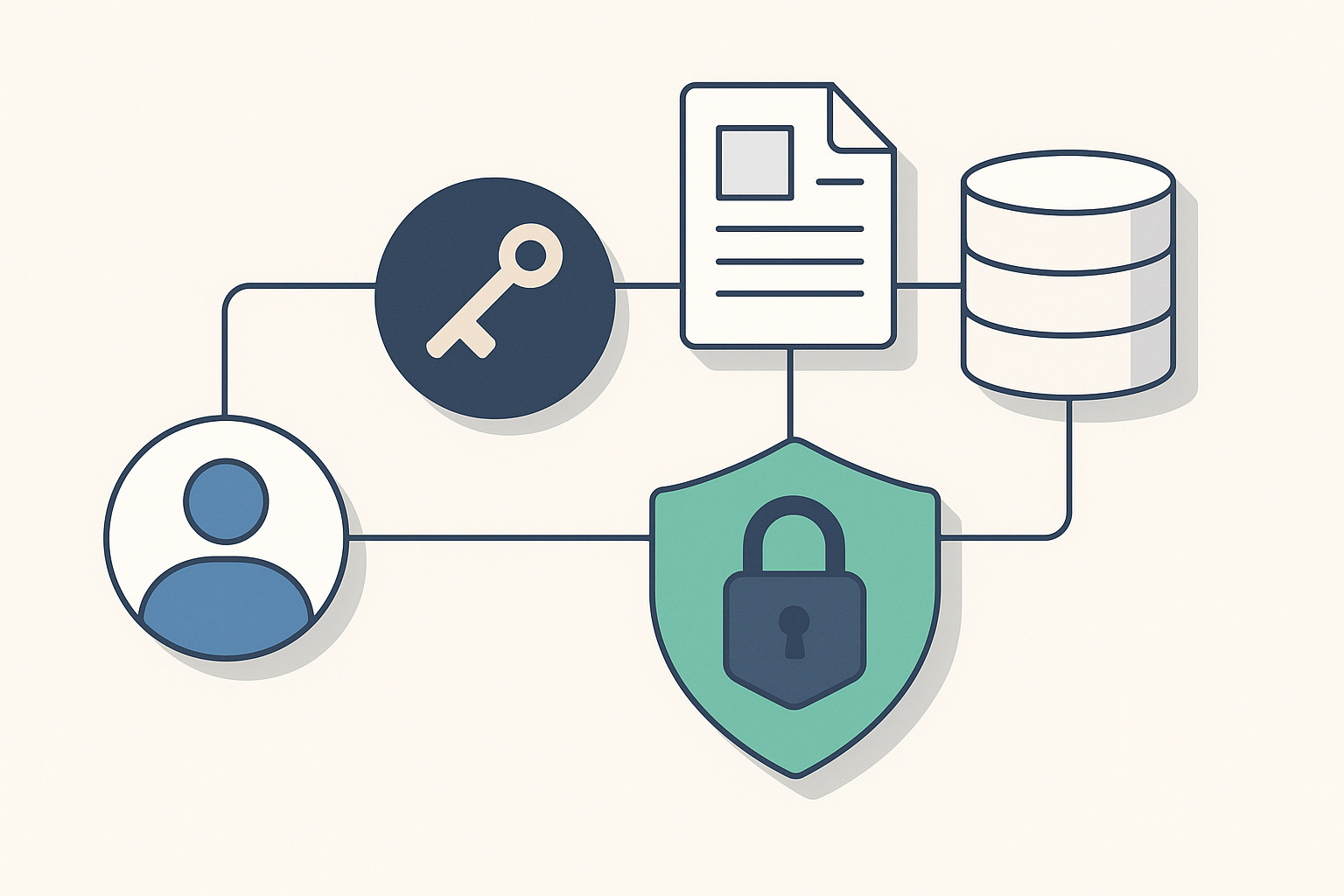
When I published the Enterprise RAG tutorial, the first wave of reactions was predictable.
Teams asked how to secure it. They asked how to prevent the model from seeing more than it should. They asked how to align retrieval with enterprise identity.
The earlier tutorial used a simplified context model. It worked well for learning, but it did not reflect real production environments. Enterprises do not simulate users. They authenticate them. They authorize them. They audit everything.
This article shows how to build a secure, contextual Retrieval Augmented Generation pipeline that respects the identity of the caller. The Bearer token becomes part of the retrieval logic. The system knows exactly who is asking the question and adjusts the context window accordingly.
This is the Gold Standard pattern.
A secure RAG pipeline for enterprise Java teams using Quarkus, LangChain4j, PostgreSQL, and PgVector.
This architecture follows zero trust principles. The LLM only receives data the authenticated user is allowed to see.
Let’s build it step by step.
Project Dependencies
We start where the Enterprise RAG tutorial ended.
You have Quarkus, LangChain4j, PostgreSQL, and PgVector running.
Make sure to clone the repository and work from there: https://github.com/myfear/ejq_substack_articles/tree/main/enterprise-rag
You can also find a complete, running example in a new folder.
Add JWT security and Panache ORM.
quarkus ext add "smallrye-jwt,smallrye-jwt-build,hibernate-orm-panache"This gives us:
JWT authentication via SmallRye JWT
Entity support for the structured domain
Integration with SecurityIdentity in Quarkus
We now move from “pretend identity” to production-grade authentication.
Security Configuration
Quarkus needs to verify incoming tokens.
In real systems you use an external OpenID Connect issuer.
To keep this tutorial self contained, we act as our own issuer.
This means, we also need to set up the public and private keys ourselves.
Generate the keys in the src/main/resources directory:
openssl genrsa -out rsaPrivateKey.pem 2048
openssl rsa -pubout -in rsaPrivateKey.pem -out publicKey.pem
An additional step is required to generate and convert the private key to the PKCS#8 format, commonly used for secure key storage and transport.
openssl pkcs8 -topk8 -nocrypt -inform pem -in rsaPrivateKey.pem -outform pem -out privateKey.pemOpen src/main/resources/application.properties.
# ----------------------------------------
# 4. JWT Security Setup
# ----------------------------------------
mp.jwt.verify.issuer=https://example.com/issuer

# Dev mode only - Use a real IdP for this in prod!
smallrye.jwt.sign.key.location=privateKey.pem
mp.jwt.verify.publickey.location=publicKey.pem
The pipeline is now capable of verifying real tokens.
Next we design a secure data layer that uses those tokens to restrict access.
Make sure to read more about JsonWebToken in one of my older articles:

Secure Structured Data
Our structured store is a standard SQL database.
We bind data to a specific user while keeping the entity simple.
Create src/main/java/com/ibm/structured/CustomerOrder.java.
package com.ibm.structured;

import io.quarkus.hibernate.orm.panache.PanacheEntity;
import jakarta.persistence.Entity;

@Entity
public class CustomerOrder extends PanacheEntity {

    public String userId;
    public String orderNumber;
    public String status;
    public Double totalAmount;

    public static CustomerOrder findByOrderAndUser(String orderNumber, String userId) {
        return find(”orderNumber = ?1 and userId = ?2”, orderNumber, userId).firstResult();
    }
}
The rule is simple.
If the caller is not the owner of the record, the record does not exist.
Populate test data.
src/main/resources/import.sql:
INSERT INTO customerorder (id, userid, ordernumber, status, totalamount)
VALUES (nextval(’customerorder_seq’), ‘alice@acme.com’, ‘ORD-123’, ‘SHIPPED’, 199.99);

INSERT INTO customerorder (id, userid, ordernumber, status, totalamount)
VALUES (nextval(’customerorder_seq’), ‘bob@acme.com’, ‘ORD-456’, ‘PENDING’, 50.00);
The structured side is ready.
Next we secure retrieval.
Secure Retrieval Layer
This is the part that usually gets overlooked.
Most RAG implementations retrieve first and check later.
That is not an acceptable pattern in enterprise environments.
Retrieval must run inside the authorization boundary.
Only the retrieval layer should see raw data.
Database Retriever
This class extracts intent, reads the JWT identity, and performs a scoped lookup.
Create src/main/java/com/ibm/retrieval/DatabaseRetriever.java.
package com.ibm.retrieval;

import java.util.Collections;
import java.util.List;
import java.util.regex.Matcher;
import java.util.regex.Pattern;

import org.eclipse.microprofile.jwt.JsonWebToken;

import com.ibm.structured.CustomerOrder;

import dev.langchain4j.data.segment.TextSegment;
import dev.langchain4j.rag.content.Content;
import dev.langchain4j.rag.content.retriever.ContentRetriever;
import dev.langchain4j.rag.query.Query;
import io.quarkus.logging.Log;
import io.quarkus.security.Authenticated;
import jakarta.enterprise.context.ApplicationScoped;
import jakarta.inject.Inject;

@ApplicationScoped
public class DatabaseRetriever implements ContentRetriever {

    @Inject
    JsonWebToken idToken;

    private static final Pattern ORDER_PATTERN = Pattern.compile(”ORD-\\d{3}”);

    @Override
    @Authenticated
    public List<Content> retrieve(Query query) {

        try {
            Log.infof(”DatabaseRetriever: Processing query: %s”, query.text());

            // Check if token is available
            if (idToken == null || idToken.getName() == null) {
                Log.infof(”DatabaseRetriever: No token or user name available, returning empty results”);
                return Collections.emptyList();
            }

            // Get username from token - try getName() first, then fallback to upn claim
            String currentUser = idToken.getName();
            if (currentUser == null || currentUser.isEmpty()) {
                currentUser = idToken.getClaim(”upn”);
            }
            if (currentUser == null || currentUser.isEmpty()) {
                currentUser = idToken.getClaim(”preferred_username”);
            }

            if (currentUser == null || currentUser.isEmpty()) {
                Log.infof(”DatabaseRetriever: Could not extract user from token, returning empty results”);
                return Collections.emptyList();
            }

            Log.infof(”DatabaseRetriever: Authenticated user: %s”, currentUser);

            String text = query.text();
            Log.infof(”DatabaseRetriever: Searching for order pattern in text: %s”, text);

            Matcher matcher = ORDER_PATTERN.matcher(text);
            if (matcher.find()) {
                String orderId = matcher.group();
                Log.infof(”DatabaseRetriever: Found order ID pattern ‘%s’ for user ‘%s’”, orderId, currentUser);

                CustomerOrder order = CustomerOrder.findByOrderAndUser(orderId, currentUser);

                if (order != null) {
                    Log.infof(”DatabaseRetriever: Retrieved order %s (status: %s, total: $%.2f) for user %s”,
                            order.orderNumber, order.status, order.totalAmount, currentUser);
                    TextSegment segment = TextSegment.from(
                            “DATABASE RECORD: Order %s is currently %s. Total: $%.2f.”
                                    .formatted(order.orderNumber, order.status, order.totalAmount));
                    return List.of(Content.from(segment));
                } else {
                    Log.infof(”DatabaseRetriever: Order %s not found or not accessible for user %s”, orderId,
                            currentUser);
                }
            } else {
                Log.infof(”DatabaseRetriever: No order ID pattern found in query: %s”, text);
            }
        } catch (Exception e) {
            Log.errorf(e, “DatabaseRetriever: Error during retrieval: %s”, e.getMessage());
        }
        return Collections.emptyList();
    }
}
The JsonWebToken is injected directly. We secured the method with @Authenticated.
No token must be passed as a parameter.
This enforces zero-trust retrieval.
Document Retriever
Documents live in the vector store. They are treated as public knowledge in this tutorial. Let’s rework the existing DocumentRetriever a little so it becomes a standalone ContentRetriever.
src/main/java/com/acme/retrieval/DocumentRetriever.java:
package com.ibm.retrieval;

import java.util.List;

import dev.langchain4j.data.segment.TextSegment;
import dev.langchain4j.model.embedding.EmbeddingModel;
import dev.langchain4j.rag.content.Content;
import dev.langchain4j.rag.content.retriever.ContentRetriever;
import dev.langchain4j.rag.content.retriever.EmbeddingStoreContentRetriever;
import dev.langchain4j.rag.query.Query;
import dev.langchain4j.store.embedding.EmbeddingStore;
import io.quarkus.logging.Log;
import jakarta.enterprise.context.ApplicationScoped;

@ApplicationScoped
public class DocumentRetriever implements ContentRetriever {

    private final EmbeddingStoreContentRetriever contentRetriever;
    private static final int SNIPPET_LENGTH = 200;

    DocumentRetriever(EmbeddingStore<TextSegment> store, EmbeddingModel model) {
        contentRetriever = EmbeddingStoreContentRetriever.builder()
                .embeddingModel(model)
                .embeddingStore(store)
                .maxResults(3)
                .build();
    }

    @Override
    public List<Content> retrieve(Query query) {
        Log.infof(”DocumentRetriever: Processing query: %s”, query.text());

        // Perform the retrieval
        List<Content> contents = contentRetriever.retrieve(query);

        // Log retrieved content snippets for developer visibility
        // This helps developers understand what documents are being retrieved
        Log.infof(”DocumentRetriever: Retrieved %d document snippet(s) for augmentation”, contents.size());

        for (int i = 0; i < contents.size(); i++) {
            Content content = contents.get(i);
            String text = “”;
            String sourceInfo = “”;

            try {
                // Content has textSegment() method that returns TextSegment
                TextSegment segment = content.textSegment();
                if (segment != null) {
                    text = segment.text();

                    // Try to extract source file information from metadata
                    var meta = segment.metadata();
                    if (meta != null) {
                        // Try to iterate over metadata entries if available
                        try {
                            // Metadata might have a way to get values - try toString for now
                            String metaString = meta.toString();
                            if (metaString.contains(”file=”)) {
                                // Extract file name from metadata string representation
                                int fileStart = metaString.indexOf(”file=”) + 5;
                                int fileEnd = metaString.indexOf(”,”, fileStart);
                                if (fileEnd == -1)
                                    fileEnd = metaString.indexOf(”}”, fileStart);
                                if (fileEnd > fileStart) {
                                    sourceInfo = “ (from: “ + metaString.substring(fileStart, fileEnd) + “)”;
                                }
                            }
                        } catch (Exception e) {
                            // If metadata access fails, continue without source info
                            Log.debugf(”Could not extract metadata: %s”, e.getMessage());
                        }
                    }
                }
            } catch (Exception e) {
                Log.debugf(”Could not extract text from content: %s”, e.getMessage());
            }

            // Create a snippet (first SNIPPET_LENGTH chars) for developer visibility
            if (!text.isEmpty()) {
                String snippet = text.length() > SNIPPET_LENGTH
                        ? text.substring(0, SNIPPET_LENGTH) + “...”
                        : text;
                // Replace newlines with spaces for cleaner log output
                snippet = snippet.replace(’\n’, ‘ ‘).replace(’\r’, ‘ ‘);
                Log.infof(”  [%d] %s%s”, i + 1, snippet, sourceInfo);
            } else {
                Log.infof(”  [%d] (content unavailable)%s”, i + 1, sourceInfo);
            }
        }

        return contents;
    }

}
The Orchestrator
This is the orchestrator for retrieval.
src/main/java/com/ibm/retrieval/HybridAugmentorSupplier.java:
package com.ibm.retrieval;

import java.util.function.Supplier;

import dev.langchain4j.rag.DefaultRetrievalAugmentor;
import dev.langchain4j.rag.RetrievalAugmentor;
import dev.langchain4j.rag.content.aggregator.DefaultContentAggregator;
import dev.langchain4j.rag.query.router.DefaultQueryRouter;
import jakarta.enterprise.context.ApplicationScoped;
import jakarta.inject.Inject;

@ApplicationScoped
public class HybridAugmentorSupplier implements Supplier<RetrievalAugmentor> {

    @Inject
    DatabaseRetriever sqlRetriever;

    @Inject
    DocumentRetriever vectorRetriever;

    @Inject
    ManagedExecutor executor;

    @Override
    public RetrievalAugmentor get() {

        // 1. The Router: Decides where to go.
        // In this simple case, we use the DefaultQueryRouter which
        // essentially broadcasts to all registered retrievers.
        // If you wanted conditional logic (e.g. “Only check SQL if text contains
        // ‘ORD-’”),
        // you would implement a custom QueryRouter here.
        DefaultQueryRouter router = new DefaultQueryRouter(sqlRetriever, vectorRetriever);

        // 2. The Aggregator: Merges the results.
        // It runs everything, collects segments, and puts them into the prompt.
        DefaultContentAggregator aggregator = new DefaultContentAggregator();

        // 3. Build the Augmentor
        return DefaultRetrievalAugmentor.builder()
                .queryRouter(router)
                .contentAggregator(aggregator)
                .executor(executor)
                .build();
    }
}
At this point, retrieval is identity-aware, hybrid, and controlled.
I have hidden a little extra gift for you in the repository and wrapped the DefaultContentAggregator with a LoggingAggregator so you see exactly what is going on in the logs.
Have you seen the ManagedExecutor?
DefaultRetrievalAugmentor runs retrievers asynchronously. If you use a regular Executor, those threads don’t have the CDI request context, so:
JsonWebToken is request-scoped (or depends on request context)
Without context propagation, @Inject JsonWebToken idToken in DatabaseRetriever is null or unavailable on those threads
The request context (including the JWT) doesn’t automatically transfer to new threads
ManagedExecutor (MicroProfile Context Propagation) propagates CDI contexts to the threads it manages. By passing it to DefaultRetrievalAugmentor:
.executor(executor) // This ManagedExecutor propagates CDI context
The request context (and thus JsonWebToken) is available in DatabaseRetriever.retrieve() even when it runs on a different thread.
Punch a hole into the Input Validation:
In order to get questions for customer orders through the input validation, we need to punch a hole into the guardrail:
Updated InputValidationGuardrail to allow customer order questions:
Add order detection:
Pattern matching for order IDs (ORD-XXX format)
Keywords like “customer order”, “my order”, “order status”, etc.
CloudX context validation
Early validation check: After security checks (prompt injection, malicious content), customer order questions are allowed through and skip off-topic checks.
Updated documentation:
Added customer orders to the valid topics list in the class JavaDoc
Updated error response messages to mention customer order support
Detection logic: The isCustomerOrderQuestion() method detects:
Questions containing order ID patterns (e.g., “ORD-123”)
Questions with order keywords AND CloudX context (e.g., “What did my cloudx customer order...”)
See the fully updated code in the repository.
The AI Service and Secure Endpoint
We wire the retriever into a standard LangChain4j AI Service.
AI Service
src/main/java/com/ibm/ai/SalesEnablementBot.java:
package com.acme.rag;

import com.acme.retrieval.HybridRetriever;
import dev.langchain4j.service.SystemMessage;
import dev.langchain4j.service.UserMessage;
import io.quarkiverse.langchain4j.RegisterAiService;

@RegisterAiService(retriever = HybridAugmentorSupplier.class)
public interface SupportBot {

@SystemMessage(”“”
// skipped for brevity.
            “”“)
    @OutputGuardrails({ OutOfScopeGuardrail.class, HallucinationGuardrail.class })
    @InputGuardrails({ InputValidationGuardrail.class })
String chat(@UserMessage String userQuestion);
}
We also need to update the SystemMessage for the new order feature:
Added customer orders to allowed topics: Added “CloudX customer order details (e.g., ORD-123, ORD-456)” to the allowed topics list.
Added response guidance for order questions: Added instructions to:
Use DATABASE RECORD information from context
State order number, status, and total amount
Handle cases where order information isn’t available
Again: Check the full code in the repository. It is a lengthy prompt.
Secure REST Layer
@Authenticated ensures only valid tokens may call the endpoint.
src/main/java/com/ibm/api/SalesEnablementResource.java:
package com.ibm.api;

import com.ibm.ai.SalesEnablementBot;

import io.quarkus.security.Authenticated;
import jakarta.inject.Inject;
import jakarta.ws.rs.GET;
import jakarta.ws.rs.Path;
import jakarta.ws.rs.Produces;
import jakarta.ws.rs.QueryParam;
import jakarta.ws.rs.core.MediaType;

@Path(”/bot”)
@Authenticated
public class SalesEnablementResource {

    @Inject
    SalesEnablementBot bot;

    @GET
    @Produces(MediaType.APPLICATION_JSON)
    public BotResponse ask(@QueryParam(”q”) String question) {
        if (question == null || question.trim().isEmpty()) {
            question = “What is the best solution for a client who is migrating to a microservices architecture?”;
        }
        String botResponse = bot.chat(question);
        return new BotResponse(botResponse);
    }
}
The API layer is now zero-trust.
The model never receives data the user cannot access.
Local Token Generation for Testing
In real environments, tokens come from your OIDC provider.
For this tutorial, we generate our own.
src/main/java/com/ibm/api/DevTokenResource.java:
package com.ibm.api;

import java.util.Set;

import io.smallrye.jwt.build.Jwt;
import jakarta.ws.rs.GET;
import jakarta.ws.rs.Path;
import jakarta.ws.rs.Produces;
import jakarta.ws.rs.QueryParam;
import jakarta.ws.rs.core.MediaType;

@Path(”/dev/token”)
public class DevTokenResource {

    @GET
    @Produces(MediaType.TEXT_PLAIN)
    public String getDevToken(@QueryParam(”user”) String user) {
        return Jwt.issuer(”https://example.com/issuer”)
                .upn(user)
                .groups(Set.of(”User”))
                .sign();
    }
}
Useful for QA and demo environments.
Verification
Start the application.
quarkus devWait for document ingestion to be finished!
Generate Test Tokens
export ALICE_TOKEN=$(curl -s "http://localhost:8080/dev/token?user=alice@acme.com")
export BOB_TOKEN=$(curl -s "http://localhost:8080/dev/token?user=bob@acme.com")
Alice Accesses Her Customer Order
curl -H "Authorization: Bearer $ALICE_TOKEN" \
  "http://localhost:8080/bot?q=What+did+my+cloudx+customer+order+with++order+ORD-123?"
Expected (something like this):
{
  “response”: “**Order Status for ORD-123**  \n- **Order Number:** ORD‑123  \n- **Current Status:** SHIPPED  \n- **Total Amount:** $199.99  \n\nIf you need additional details (e.g., line‑item breakdown, shipping date, or tracking information), please reach out to sales@cloudx.com.”
}
Bob Tries to Access Alice’s Order
curl -H "Authorization: Bearer $BOB_TOKEN" \
  "http://localhost:8080/bot?q=What+did+my+cloudx+customer+order+with++order+ORD-123?"
Expected:
{
“response”: “I don’t have access to that order information.”
}
This is the security model enterprises expect.
Authentication via OIDC. Authorization tied to structured data. Retrieval-time filtering. A hybrid pipeline that combines SQL facts with vector knowledge while respecting user identity.
The model sees only what the user is allowed to see.
This is how RAG becomes safe enough for regulated environments.
A small change.
A massive upgrade in security posture.
Hi Markus, thanks for the great article! I was studying your code, specifically the InputValidationGuardrail, and I have a question.
I noticed the patterns in the code seem to be in English. I was wondering: if an attacker tries to use a different language (like Portuguese or Italian) for the prompt injection, would the current guardrail implementation still be able to detect it?