


SVG is everywhere. Logos, diagrams, charts, UI icons, invoices, reports. In modern systems these graphics are usually stored as SVG because the format is small, editable, and resolution independent. I have written about SVGs before and probably will continue doing it until someone stops me :) Take a look here for example:

The moment you need to deliver images to other systems, things change fast. Email clients, PDF generators, document systems, and many frontend pipelines expect PNG or JPEG. Suddenly you need a reliable way to convert SVG files into raster images.
Many Java developers reach for Apache Batik for this task. Batik works, but it is heavy. The dependency tree is large, the memory footprint is significant, and conversion performance can become a bottleneck when the service handles many images.
A simpler option exists: JairoSVG. It is a small, pure-Java SVG rendering engine that converts SVG to PNG or JPEG using Java2D. No native dependencies, no heavyweight rendering pipeline. This makes it a good fit for microservices and native Quarkus applications.
In this tutorial we build a Quarkus REST service that converts uploaded SVG files into PNG images using JairoSVG. The result is a small, fast service that can run in containers or as a GraalVM native executable.
The architecture is intentionally simple:
REST endpoint receives an SVG upload
A service layer performs the conversion
The API returns the generated PNG
This pattern appears in many real systems: document processing pipelines, media conversion services, report generation, and AI pipelines that render charts or diagrams.
Prerequisites
Before starting, make sure your environment has the necessary tools.
Java 21 installed
Maven 3.9 or later
Quarkus CLI (optional but convenient)
Basic understanding of REST APIs and Java CDI
curl or another HTTP client
Project Setup
Create a new Quarkus project or start from my Github repository.
quarkus create app dev.example:svg-converter \
  --extension='rest-jackson' \
  --no-code
cd svg-converter
The extensions we use are straightforward.
quarkus-rest— provides the REST API implementation
These two extensions are enough to build a production-ready file upload endpoint.
Adding the JairoSVG Dependency
Open pom.xml and add the SVG conversion library.
<dependency>
    <groupId>io.brunoborges</groupId>
    <artifactId>jairosvg</artifactId>
    <version>1.0.2</version>
</dependency>
JairoSVG is small and pure Java. This means the service works without native libraries, and it can run inside a GraalVM native image later without complicated configuration.
Implementing the Conversion Service
The conversion logic should not live inside the REST endpoint. Instead we isolate it inside a CDI bean.
Create the service.
src/main/java/dev/example/SvgConversionService.java
package dev.example;

import java.nio.file.Files;
import java.nio.file.Path;

import io.brunoborges.jairosvg.JairoSVG;
import jakarta.enterprise.context.ApplicationScoped;

@ApplicationScoped
public class SvgConversionService {

    public byte[] convertToPng(byte[] svgBytes, double scale, int dpi) throws Exception {
        return JairoSVG.builder()
                .fromBytes(svgBytes)
                .scale(scale)
                .dpi(dpi)
                .toPng();
    }

    public byte[] convertToPng(Path svgPath, double scale, int dpi) throws Exception {
        byte[] svgBytes = Files.readAllBytes(svgPath);
        return convertToPng(svgBytes, scale, dpi);
    }

}
The builder API is intentionally simple.
fromBytes() → input SVG
scale() → resize image
dpi() → control resolution
toPng() → produce PNG bytes
The important detail is that the method returns raw PNG bytes. This keeps the service independent from HTTP or REST concerns. The same service could later run inside:
a messaging pipeline
a document processing job
an AI image generation workflow
Separating concerns early keeps the system easier to evolve.
Building the REST Endpoint
Now we expose the conversion functionality via HTTP.
Create the REST resource.
src/main/java/dev/example/SvgConverterResource.java
package dev.example;

import java.nio.file.Files;

import org.jboss.resteasy.reactive.RestForm;
import org.jboss.resteasy.reactive.multipart.FileUpload;

import jakarta.inject.Inject;
import jakarta.ws.rs.Consumes;
import jakarta.ws.rs.POST;
import jakarta.ws.rs.Path;
import jakarta.ws.rs.Produces;
import jakarta.ws.rs.core.MediaType;
import jakarta.ws.rs.core.Response;

@Path("/convert")
public class SvgConverterResource {

    @Inject
    SvgConversionService conversionService;

    @POST
    @Path("/png")
    @Consumes(MediaType.MULTIPART_FORM_DATA)
    @Produces("image/png")
    public Response svgToPng(
            @RestForm("file") FileUpload file,
            @RestForm("scale") Double scale,
            @RestForm("dpi") Integer dpi) throws Exception {

        double scaleValue = scale != null ? scale : 1.0;
        int dpiValue = dpi != null ? dpi : 96;

        byte[] svgBytes = Files.readAllBytes(file.uploadedFile());

        byte[] pngBytes = conversionService.convertToPng(svgBytes, scaleValue, dpiValue);

        String outputName = originalName(file) + ".png";

        return Response.ok(pngBytes)
                .header("Content-Disposition",
                        "attachment; filename=\"" + outputName + "\"")
                .header("Content-Length", pngBytes.length)
                .build();
    }

    private String originalName(FileUpload file) {
        String name = file.fileName();
        if (name != null && name.endsWith(".svg")) {
            return name.substring(0, name.length() - 4);
        }
        return "output";
    }

}
The endpoint performs three steps.
First it reads the uploaded SVG file from disk.
Second it passes the bytes to the conversion service.
Third it returns the PNG image as the HTTP response.
The Content-Disposition header ensures browsers download the result as a file instead of displaying raw binary data.
Configuration
Open src/main/resources/application.properties.
quarkus.http.limits.max-body-size=10Mmax-body-size prevents clients from uploading huge SVG files that could exhaust memory or disk space.
In production systems this limit acts as a first line of defense against resource abuse.
Running the Application
Start Quarkus in development mode.
quarkus devYou should see the Quarkus banner and a message that live reload is active.
Dev mode is useful here because the conversion code can be modified and reloaded instantly.
Verifying the Conversion
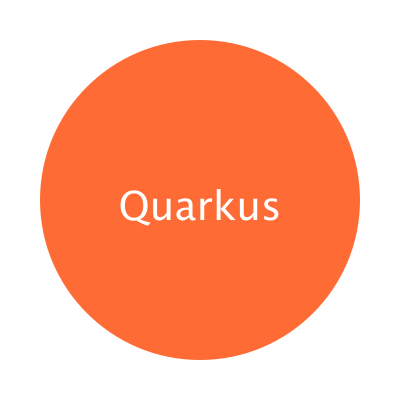
Create a small SVG test file.
test.svg
<svg xmlns="http://www.w3.org/2000/svg" width="200" height="200">
  <circle cx="100" cy="100" r="80" fill="#ff6b35"/>
  <text x="100" y="110" font-size="20"
        text-anchor="middle"
        fill="white">Quarkus</text>
</svg>
Send the file to the service.
curl -X POST http://localhost:8080/convert/png \
  -F "file=@test.svg;type=image/svg+xml" \
  -F "scale=2.0" \
  -F "dpi=144" \
  -o output.png
The command uploads the SVG and stores the returned PNG as output.png.
Open the file. You should see a rendered PNG image that is twice the original size because we passed scale=2.0.
Writing a Test
Quarkus testing integrates with REST Assured, making endpoint tests easy to write. Add the RestAssured test dependency:
        <dependency>
            <groupId>io.rest-assured</groupId>
            <artifactId>rest-assured</artifactId>
            <scope>test</scope>
        </dependency>
Create the test class.
src/test/java/dev/example/SvgConverterResourceTest.java
package dev.example;

import static io.restassured.RestAssured.given;
import static org.junit.jupiter.api.Assertions.assertEquals;
import static org.junit.jupiter.api.Assertions.assertNotNull;
import static org.junit.jupiter.api.Assertions.assertTrue;

import java.nio.file.Files;
import java.nio.file.Path;

import org.junit.jupiter.api.Test;

import io.quarkus.test.junit.QuarkusTest;

@QuarkusTest
class SvgConverterResourceTest {

    static final String SAMPLE_SVG = """
            <svg xmlns="http://www.w3.org/2000/svg" width="100" height="100">
              <rect width="100" height="100" fill="blue"/>
            </svg>
            """;

    @Test
    void testSvgToPngConversion() throws Exception {

        Path tempSvg = Files.createTempFile("test", ".svg");
        Files.writeString(tempSvg, SAMPLE_SVG);

        byte[] pngBytes = given()
                .multiPart("file", tempSvg.toFile(), "image/svg+xml")
                .multiPart("scale", "1.0")
                .multiPart("dpi", "96")
                .when()
                .post("/convert/png")
                .then()
                .statusCode(200)
                .contentType("image/png")
                .extract()
                .asByteArray();

        assertNotNull(pngBytes);
        assertTrue(pngBytes.length > 0);

        assertEquals((byte) 0x89, pngBytes[0]);
        assertEquals((byte) 'P', pngBytes[1]);
        assertEquals((byte) 'N', pngBytes[2]);
        assertEquals((byte) 'G', pngBytes[3]);
    }
}
The test checks the PNG magic header bytes. Every valid PNG file starts with the sequence 89 50 4E 47.
If the conversion fails or returns garbage data, this test fails immediately.
Production Hardening
Handling Large Uploads
SVG files can embed fonts, images, and external resources. A malicious file could be several megabytes.
Limit the upload size and enforce streaming uploads.
quarkus.http.limits.max-body-size=10MFor higher traffic systems, consider offloading uploads to object storage and processing them asynchronously.
Concurrency and Throughput
Image conversion uses CPU and Java2D rendering.
If hundreds of requests arrive simultaneously, CPU usage becomes the bottleneck. The service is stateless, so scaling horizontally works well.
In Kubernetes or OpenShift this means:
run multiple replicas
keep containers small
use a load balancer
Quarkus startup time makes this approach cheap.
Validation and Security
Never trust uploaded files.
SVG can embed scripts, external references, or malicious XML constructs. Always sanitize or validate inputs if images originate from untrusted users.
At minimum you should:
restrict maximum upload size
reject files without
.svgextensionoptionally scan content for disallowed tags
Conclusion
We built a Quarkus microservice that converts uploaded SVG files into PNG images using JairoSVG. The service accepts multipart uploads, performs conversion inside a dedicated CDI service, returns the generated PNG, and includes integration tests to verify the behavior.
This architecture works well for media pipelines, document processing services, and reporting systems where vector graphics must be converted into raster images.
The key idea is simple: keep conversion logic isolated and expose it through a small REST boundary.
Superb! Your articles inspire me a lot as a web dev. If you have time, can you please add a flavour of spring/spring boot?