


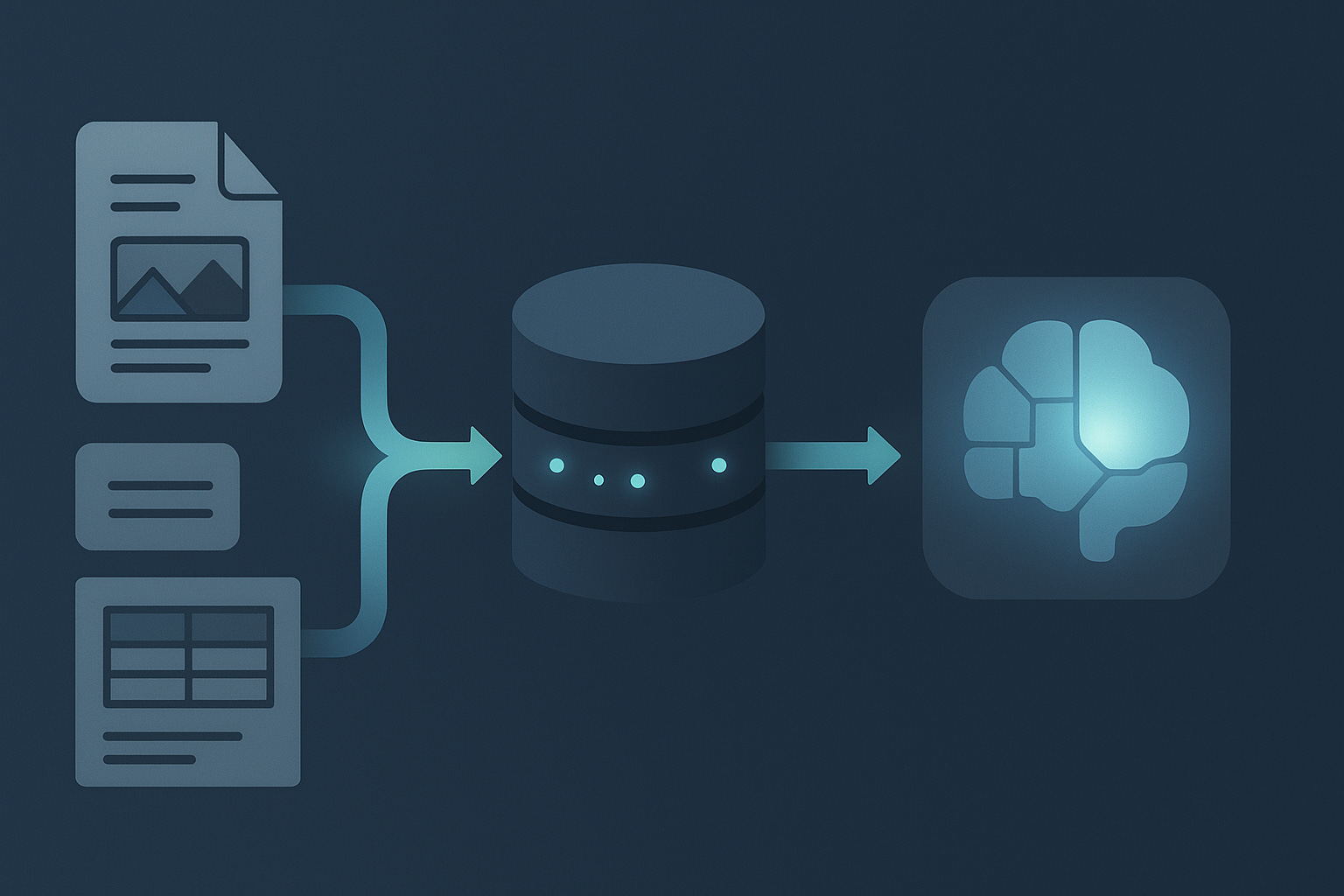
I have been following Docling for a while now, and watching it evolve has been one of the most exciting developments in our ecosystem. Earlier this year I wrote about Docling as a pure data-preparation tool for AI workloads, mostly focusing on how to turn difficult PDFs into clean, usable text for downstream models.
Since then, something great happened.
A group of people I deeply respect in the Java community, Eric Deandrea, Thomas Vitale, and Alex Soto, teamed up with the Docling project and worked through the details to make Java a first-class citizen. The result is the official Docling Java integration and, even better for us, a Docling Quarkus extension that brings layout-aware PDF processing directly into the Quarkus developer experience.
This changes the game for RAG and agentic systems.
Most discussions about RAG still treat document ingestion as a solved problem. It isn’t. Enterprise documents are messy. They contain tables, headers, multi-column layouts, footnotes, diagrams, and formatting signals that completely disappear when you use a traditional text extractor. Once those structures are lost, the RAG pipeline loses context and the LLM loses its grounding.
Docling preserves that structure.
Quarkus makes it accessible.
And together, they unlock something that agentic systems desperately need: reliable, up-to-date knowledge.
Agents cannot make good decisions if their world model is stale or low quality. If you want agents that can reason over invoices, contracts, manuals, reports, or any document that changes over time, then high-fidelity ingestion is non-negotiable. That is why this tutorial exists. It shows how to combine Docling, pgvector, and a local LLM into a fully working, enterprise-grade RAG pipeline that your agents can trust.
Let’s build it.
In this tutorial you build a full RAG pipeline in Java with Quarkus that checks all these boxes:
Ingest PDFs with layout-aware parsing using Docling
Store embeddings in PostgreSQL + pgvector
Query using a local Ollama model
Add some guardrails to block wrong answers and prevent users from doing the wrong things with your app.
You end up with a working REST API that you can hit with curl and extend from there. And I did also implement a teensy little UI on top for you.
Prerequisites and baseline
You should be comfortable with:
Java 21+
Quarkus CLI installed or
Maven 3.9+
Quarkus 3.x
Podman (or Docker works too)
Ollama locally (if you don’t want to run this as Dev Service)
ollama pull gpt-oss:20bollama pull granite-embedding:latest(or another embedding model you prefer; adjust dimension later)
Bootstrap the Quarkus project
Create a new Quarkus app with the required extensions and follow along or grab the full example from my Github repository:
quarkus create app com.acme:enterprise-rag \
  --extension="rest-jackson,langchain4j-ollama,langchain4j-pgvector,docling,jdbc-postgresql"
cd enterprise-rag
This should give you:
REST support
JSON support
LangChain4j integration for Ollama
LangChain4j pgvector integration
Docling extension
PostgreSQL JDBC driver
Database infrastructure with pgvector
We need PostgreSQL with the pgvector extension enabled. PostgreSQL is automatically started with the Quarkus Dev Service for Postgres so you don’t need to do anything extra. Quarkus LangChain4j pgvector will take care of creating the embeddings table.
Quarkus configuration
Open src/main/resources/application.properties and add:
# ----------------------------------------
# 1. Ollama configuration (local LLM)
# ----------------------------------------

# Chat model (answers)
quarkus.langchain4j.ollama.chat-model.model-name=gpt-oss:20b

# Embedding model (document + query vectors)
quarkus.langchain4j.ollama.embedding-model.model-name=granite-embedding:latest

# Set a more generous timeout
quarkus.langchain4j.ollama.timeout=60s


# Logging during development
quarkus.langchain4j.log-requests=false
quarkus.langchain4j.log-responses=false

# ----------------------------------------
# 2. Datasource and pgvector
# ----------------------------------------
quarkus.datasource.db-kind=postgresql

# Use default datasource for pgvector
# Store table name
quarkus.langchain4j.pgvector.table=embeddings

quarkus.langchain4j.pgvector.drop-table-first=true
quarkus.langchain4j.pgvector.create-table=true


# IMPORTANT: match this to your embedding model
# granite-embedding is 384-dim. Verify in model docs.
# if you don't have a super fast machine, this is enough!
quarkus.langchain4j.pgvector.dimension=384

# Optional, but recommended once data grows
quarkus.langchain4j.pgvector.use-index=true
quarkus.langchain4j.pgvector.index-list-size=10

# ----------------------------------------
# 3. Docling
# ----------------------------------------
# Docling Dev Service will start a container in dev mode and testing.
# The extension configures the REST client automatically.
# We configure the docling UI explicitly
quarkus.docling.devservices.enable-ui=true
quarkus.docling.timeout=3M

# REST client timeout configuration for Docling
# Increase timeouts for large file processing
quarkus.rest-client.”io.quarkiverse.docling.runtime.client.DoclingService”.connect-timeout=60
quarkus.rest-client.”io.quarkiverse.docling.runtime.client.DoclingService”.read-timeout=300
Wiring Docling for PDF → Markdown
Docling will parse PDFs and output Markdown that preserves headings, lists, and tables as far as possible. The Quarkus Docling extension gives you ready-made clients.
We keep the usage simple: A class that converts documents (e.g., PDFs) to Markdown using the Docling service.
Create src/main/java/com/acme/ingest/DoclingConverter.java:
package com.ibm.ingest;

import java.io.File;
import java.io.IOException;
import java.nio.file.Path;

import ai.docling.api.serve.convert.request.options.OutputFormat;
import io.quarkiverse.docling.runtime.client.DoclingService;
import io.quarkus.logging.Log;
import jakarta.enterprise.context.ApplicationScoped;
import jakarta.inject.Inject;
import jakarta.ws.rs.ProcessingException;

@ApplicationScoped
public class DoclingConverter {

    @Inject
    DoclingService doclingService;

    public String toMarkdown(File sourceFile) throws IOException {
        Path filePath = sourceFile.toPath();

        try {
            var response = doclingService.convertFile(filePath, OutputFormat.MARKDOWN);
            var document = response.getDocument();
            if (document == null) {
                throw new IllegalStateException(”Document conversion returned null document for file: “ + sourceFile);
            }
            return document.getMarkdownContent();
        } catch (ProcessingException e) {
            // Check and log health status when there’s a connection error
            try {
                boolean isHealthy = doclingService.isHealthy();
                Log.warnf(”Docling service health check: %s (file: %s)”,
                        isHealthy ? “HEALTHY” : “UNHEALTHY”, sourceFile.getName());
            } catch (Exception healthCheckException) {
                Log.warnf(”Failed to check Docling service health status: %s (file: %s)”,
                        healthCheckException.getMessage(), sourceFile.getName());
            }

            Throwable cause = e.getCause();
            String errorMessage = cause != null ? cause.getMessage() : e.getMessage();
            throw new IOException(”Failed to convert file: “ + sourceFile + “. Cause: “ + errorMessage, e);
        } catch (Exception e) {
            // Check and log health status for any exception
            try {
                boolean isHealthy = doclingService.isHealthy();
                Log.warnf(”Docling service health check: %s (file: %s)”,
                        isHealthy ? “HEALTHY” : “UNHEALTHY”, sourceFile.getName());
            } catch (Exception healthCheckException) {
                Log.warnf(”Failed to check Docling service health status: %s (file: %s)”,
                        healthCheckException.getMessage(), sourceFile.getName());
            }

            throw new IOException(”Failed to convert file: “ + sourceFile, e);
        }
    }
}
The key ideas:
Uses DoclingService to convert files to Markdown format
On conversion failures, performs health checks and logs the service status for diagnostics
Wraps all exceptions as IOException for consistent error handling
Ingestion pipeline: Document loader
But we need a place to start the ingestion pipeline. The DocumentLoader, loads documents from a resources folder at startup, converts them to Markdown, splits them into sentence-based segments, and stores their embeddings in the pgvector store for RAG retrieval.
package com.ibm.ingest;

import java.io.File;
import java.nio.file.Files;
import java.nio.file.Path;
import java.util.ArrayList;
import java.util.Arrays;
import java.util.HashMap;
import java.util.List;
import java.util.Map;

import dev.langchain4j.data.document.Document;
import dev.langchain4j.data.document.Metadata;
import dev.langchain4j.data.document.splitter.DocumentBySentenceSplitter;
import dev.langchain4j.data.segment.TextSegment;
import dev.langchain4j.model.embedding.EmbeddingModel;
import dev.langchain4j.store.embedding.EmbeddingStore;
import io.quarkus.logging.Log;
import io.quarkus.runtime.Startup;
import jakarta.annotation.PostConstruct;
import jakarta.inject.Inject;
import jakarta.inject.Singleton;

@Singleton
@Startup
public class DocumentLoader {

    @Inject
    EmbeddingStore<TextSegment> store;

    @Inject
    EmbeddingModel embeddingModel;

    @Inject
    DoclingConverter doclingConverter;

    @PostConstruct
    void loadDocument() throws Exception {

        Log.infof(”Starting document loading...”);

        // Read the files from /resources/documents folder
        Path documentsPath = Path.of(”src/main/resources/documents”);

        // Collect all documents first
        List<Document> docs = new ArrayList<>();

        // For each file in the folder, convert the file to markdown with docling
        // converter
        if (Files.exists(documentsPath) && Files.isDirectory(documentsPath)) {
            int successCount = 0;
            int failureCount = 0;

            // Only process files with allowed extensions
            List<String> allowedExtensions = Arrays.asList(”txt”, “pdf”, “pptx”, “ppt”, “doc”, “docx”, “xlsx”, “xls”,
                    “csv”, “json”, “xml”, “html”);

            int skippedCount = 0;
            try (var stream = Files.list(documentsPath)) {
                for (Path filePath : stream.filter(Files::isRegularFile).toList()) {
                    File file = filePath.toFile();
                    String fileName = file.getName();

                    // Extract file extension
                    int lastDotIndex = fileName.lastIndexOf(’.’);
                    String extension = (lastDotIndex > 0 && lastDotIndex < fileName.length() - 1)
                            ? fileName.substring(lastDotIndex + 1).toLowerCase()
                            : “”;

                    // Skip files that don’t have an allowed extension
                    if (extension.isEmpty() || !allowedExtensions.contains(extension)) {
                        skippedCount++;
                        Log.debugf(”Skipping file ‘%s’ - extension ‘%s’ is not in allowed list: %s”,
                                fileName, extension.isEmpty() ? “(no extension)” : extension, allowedExtensions);
                        continue;
                    }

                    try {
                        Log.infof(”Processing file: %s”, file.getName());

                        String markdown = doclingConverter.toMarkdown(file);

                        // Add filename and format to the Document before splitting
                        // Text segments retain and propagate document-level metadata during splitting
                        Map<String, String> meta = new HashMap<>();
                        meta.put(”file”, file.getName());
                        meta.put(”format”, extension);

                        // Create a Document with metadata
                        Document doc = Document.document(markdown, new Metadata(meta));
                        docs.add(doc);
                        successCount++;
                        Log.infof(”Successfully processed file: %s”, file.getName());
                    } catch (Exception e) {
                        failureCount++;
                        Log.errorf(e, “Failed to process file: %s. Error: %s”, filePath, e.getMessage());
                        // Continue processing other files instead of failing the entire startup
                    }
                }
            }

            Log.infof(”Document loading completed. Success: %d, Failures: %d, Skipped: %d”, successCount, failureCount,
                    skippedCount);

            if (docs.isEmpty()) {
                Log.warn(”No documents were successfully loaded. Please check the logs for errors.”);
            }
        }

        // Only process if we have documents
        if (docs.isEmpty()) {
            Log.warn(”No documents to process. Skipping embedding generation.”);
            return;
        }

        // Add context splitting with a BySentence Splitter
        DocumentBySentenceSplitter splitter = new DocumentBySentenceSplitter(200, 20); // 200 tokens, overlap of 20
        List<TextSegment> segments = splitter.splitAll(docs);

        if (segments.isEmpty()) {
            Log.warn(”No text segments generated from documents. Skipping embedding storage.”);
            return;
        }

        Log.infof(”Generating embeddings for %d text segments...”, segments.size());

        // Test the store before processing all segments
        int embeddedCount = 0;
        try {
            // Try to add a test embedding to verify store is working
            if (!segments.isEmpty()) {
                TextSegment testSegment = segments.get(0);
                var testEmbedding = embeddingModel.embed(testSegment).content();
                store.add(testEmbedding, testSegment);
                Log.infof(”Store test successful. Proceeding with bulk embedding...”);
                embeddedCount = 1; // Count the test embedding
            }
        } catch (jakarta.enterprise.inject.CreationException e) {
            // Catch CreationException which happens during bean creation
            Throwable cause = e.getCause();
            if (cause instanceof IllegalArgumentException &&
                    cause.getMessage() != null &&
                    cause.getMessage().contains(”indexListSize”) &&
                    cause.getMessage().contains(”zero”)) {
                Log.errorf(”PgVector dimension configuration error detected during store initialization.”);
                Log.errorf(”The dimension property ‘quarkus.langchain4j.pgvector.dimension’ is being read as 0.”);
                Log.errorf(”Please verify:”);
                Log.errorf(
                        “1. The property is set correctly in application.properties (should be 768 for granite-embedding:278m)”);
                Log.errorf(”2. PostgreSQL database is running and accessible”);
                Log.errorf(”3. The pgvector extension is installed: CREATE EXTENSION IF NOT EXISTS vector;”);
                Log.errorf(”4. Try setting ‘quarkus.langchain4j.pgvector.use-index=false’ temporarily”);
                throw new RuntimeException(
                        “PgVector store initialization failed. The dimension configuration is not being read correctly. “
                                +
                                “This usually means the dimension property is 0. Check application.properties and database configuration.”,
                        e);
            }
            throw e;
        } catch (IllegalArgumentException e) {
            if (e.getMessage() != null && e.getMessage().contains(”indexListSize”) && e.getMessage().contains(”zero”)) {
                Log.errorf(”PgVector dimension configuration error. The dimension is being read as 0.”);
                Log.errorf(”Please verify ‘quarkus.langchain4j.pgvector.dimension=768’ in application.properties”);
                throw new RuntimeException(
                        “PgVector dimension misconfiguration. Dimension must be > 0. Check application.properties.”, e);
            }
            throw e;
        } catch (Exception e) {
            Log.errorf(e, “Failed to test embedding store. This might indicate a configuration issue.”);
            throw new RuntimeException(
                    “Embedding store test failed. Please check your database and pgvector configuration.”, e);
        }

        // Store the remaining segments in the embedding store by creating embeddings
        // (Skip first segment if we already tested with it)
        int startIndex = embeddedCount > 0 ? 1 : 0;
        int errorCount = 0;
        for (int i = startIndex; i < segments.size(); i++) {
            TextSegment segment = segments.get(i);
            try {
                var embedding = embeddingModel.embed(segment).content();
                store.add(embedding, segment);
                embeddedCount++;
                if (embeddedCount % 10 == 0) {
                    Log.infof(”Progress: embedded %d/%d segments”, embeddedCount, segments.size());
                }
            } catch (Exception e) {
                errorCount++;
                Log.errorf(e, “Failed to embed and store segment: %s”,
                        segment.text().substring(0, Math.min(50, segment.text().length())));
                // Continue with other segments for non-critical errors
            }
        }

        Log.infof(”Successfully embedded and stored %d out of %d segments (errors: %d)”, embeddedCount, segments.size(),
                errorCount);
    }

}
The key ideas here:
Document ingestion pipeline: converts supported file types (PDF, DOCX, etc.) to Markdown, splits by sentences with overlap, then generates and stores embeddings
Startup initialization: runs automatically via @Startup to pre-populate the embedding store before the application serves queries
Error handling: includes diagnostics for PgVector configuration issues (dimension misconfiguration) and continues processing other documents when individual files fail
Retrieving Documents
While the ingestion pipeline runs once at startup, the retrieval is the opposite side of it as the name implies. A way to search the embedding database for relevant results and augment the user prompt with them.
The most simplistic scenario consists of a single retriever and a basic injector. The retriever fetches N relevant content pieces and the injector appends them to the user message.
Document Retrieval
Create src/main/java/com/ibm/retrieval/DocumentRetriever.java:
package com.ibm.retrieval;

import dev.langchain4j.model.embedding.EmbeddingModel;
import dev.langchain4j.rag.AugmentationRequest;
import dev.langchain4j.rag.AugmentationResult;
import dev.langchain4j.rag.DefaultRetrievalAugmentor;
import dev.langchain4j.rag.RetrievalAugmentor;
import dev.langchain4j.rag.content.retriever.EmbeddingStoreContentRetriever;
import dev.langchain4j.store.embedding.EmbeddingStore;
import jakarta.enterprise.context.ApplicationScoped;

@ApplicationScoped
public class DocumentRetriever implements RetrievalAugmentor {

    private final RetrievalAugmentor augmentor;

    DocumentRetriever(EmbeddingStore store, EmbeddingModel model) {
        EmbeddingStoreContentRetriever contentRetriever = EmbeddingStoreContentRetriever.builder()
                .embeddingModel(model)
                .embeddingStore(store)
                .maxResults(3)
                .build();
        augmentor = DefaultRetrievalAugmentor
                .builder()
                .contentRetriever(contentRetriever)
                .build();
    }

    @Override
    public AugmentationResult augment(AugmentationRequest augmentationRequest) {
        return augmentor.augment(augmentationRequest);
    }

}
Key ideas:
Wraps LangChain4j’s EmbeddingStoreContentRetriever to perform vector similarity search, returning the top 3 most relevant segments
Implements the RetrievalAugmentor interface to integrate with LangChain4j’s RAG pipeline, automatically retrieving context for user queries
Note: This is the “simple” way. Also known as naive or frozen RAG. If you need multiple retrievers or more complex routing, you are looking for contextual RAG approaches.
Query pipeline add on: Gardrail
I have written about guardrails before. Some things moved forward since then. We now have a guardrails project inside LangChain4j and the interfaces changed slightly.
Guardrails are barely technical. They are the essence of semantic checks. We either want to check if a model “halucinates” or a user is trying something we don’t want him to. For this example I am assuming we build a “Sales Enablement Copilot for CloudX Enterprise Platform.” And to be a helpful partner for sales enablement resources, we should make sure that the LLM isn’t making up a lot of things and also does not talk about pricing or other things.
Hallucination guardrail
Let’s start with the hallucination guardrail.
Create src/main/java/com/ibm/guardrails/HallucinationGuardrail.java:
package com.ibm.guardrails;

import dev.langchain4j.data.message.AiMessage;
import dev.langchain4j.guardrail.OutputGuardrail;
import dev.langchain4j.guardrail.OutputGuardrailResult;
import jakarta.enterprise.context.ApplicationScoped;
import io.quarkus.logging.Log;

/**
 * HallucinationGuardrail detects when the LLM generates responses that:
 * - Admit lack of knowledge
 * - Are too vague or generic
 * - Contain contradictory information
 * - Make up facts not present in the CloudX sales enablement materials
 * - Provide overly confident answers without proper context
 */
@ApplicationScoped
public class HallucinationGuardrail implements OutputGuardrail {

    // Phrases indicating the model doesn’t have information
    private static final String[] UNCERTAINTY_PHRASES = {
        “i don’t have that information”,
        “i don’t know”,
        “i’m not sure”,
        “i cannot find”,
        “i don’t have access to”,
        “i’m unable to provide”,
        “i don’t have specific information”,
        “i cannot confirm”,
        “i’m not aware of”,
        “i don’t have details about”
    };

    @Override
    public OutputGuardrailResult validate(AiMessage responseFromLLM) {
        Log.info(”HallucinationGuardrail: Validating LLM response”);

        String content = responseFromLLM.text();
        String contentLower = content.toLowerCase();
        Log.debug(”HallucinationGuardrail: Response content length: “ + content.length() + “ characters”);

        // 1. Check for uncertainty phrases (model admitting it doesn’t know)
        String uncertaintyPhrase = detectUncertaintyPhrase(contentLower);
        if (uncertaintyPhrase != null) {
            Log.warn(”HallucinationGuardrail: Detected uncertainty phrase: ‘” + uncertaintyPhrase + “’”);
            return reprompt(
                    “The response contains uncertainty phrases. “,
                    “Please provide a confident answer based strictly on the CloudX sales enablement materials. “ +
                            “If the information is not available in the provided documents, clearly state that the information is not in the available materials rather than expressing uncertainty.”);
        }

//..
// 2. Check for hallucination indicators (hedging language suggesting uncertainty)
// 3. Check for contradictory statements
// 4. Check for too short/lazy answers
// 5. Check for overly generic responses
// 6. Check for potential factual errors about CloudX
// 7. Check for excessive hedging (multiple uncertainty markers)
//..

    private String detectUncertaintyPhrase(String content) {
        for (String phrase : UNCERTAINTY_PHRASES) {
            if (content.contains(phrase)) {
                return phrase;
            }
        }
        return null;
    }
}
Key ideas:
Pattern-based detection: checks for uncertainty phrases (”I don’t know”), hedging language (”I believe”, “probably”), contradictions, overly generic responses, and factual errors against a predefined list of CloudX facts
Reprompting mechanism: when issues are detected, returns a reprompt result with specific guidance to the LLM to generate a more accurate, confident, and document-grounded response
Create src/main/java/com/ibm/guardrails/OutOfScopeGuardrail.java:
@ApplicationScoped
public class OutOfScopeGuardrail implements OutputGuardrail {

    // Keywords indicating competitor-specific internal information (out of scope)
    private static final String[] COMPETITOR_INTERNAL_KEYWORDS = {
            “competecloud’s internal”, “competecloud roadmap”, “competecloud strategy”,
            “skyplatform’s internal”, “skyplatform roadmap”, “skyplatform strategy”,
            “techgiant’s internal”, “techgiant roadmap”, “techgiant strategy”,
            “competitor’s source code”, “competitor’s architecture”
    };

//..

@Override
    public OutputGuardrailResult validate(AiMessage responseFromLLM) {
        Log.info(”OutOfScopeGuardrail: Validating LLM response”);

        String content = responseFromLLM.text().toLowerCase();
        Log.debug(”OutOfScopeGuardrail: Response content length: “ + content.length() + “ characters”);

        // Check for various out-of-scope categories
        String detectedIssue = detectOutOfScopeContent(content);

        if (detectedIssue != null) {
            Log.warn(”OutOfScopeGuardrail: Detected out-of-scope content - Issue type: “ + detectedIssue);
            return buildOutOfScopeResponse(detectedIssue);
        }

        // Response is in scope
        Log.info(”OutOfScopeGuardrail: Response validated successfully - content is in scope”);
        return success();
    }

//..
You guessed the approach. Even if I implemented this differently.
Key ideas:
Categorized keyword detection: Uses predefined keyword lists to identify seven out-of-scope categories (confidential, advice, personal, competitor internals, non-CloudX products, negotiations, general tech) with priority-based checking
Context-aware validation: Allows mentions of non-CloudX products when discussed in CloudX context (e.g., comparisons, integrations, migrations), preventing false positives
Issue-specific reprompting: Returns tailored reprompt messages based on the detected issue type, guiding the LLM to refocus on CloudX sales enablement content
You can implement an input guardrail pretty much in a similar fashion just the other way around:
Create src/main/java/com/ibm/guardrails/InputValidationGuardrail.java:
@ApplicationScoped
public class InputValidationGuardrail implements InputGuardrail {
// Off-topic technology combinations (not supported by CloudX)
    private static final String[][] OFF_TOPIC_COMBINATIONS = {
        // Format: {technology, unsupported_context, boundary_message}
        {”python”, “google cloud”, “CloudX supports Python on AWS, Azure, and Google Cloud. However, I specialize in CloudX sales enablement. For deployment questions, please refer to CloudX technical documentation.”},
        {”node.js”, “heroku”, “CloudX supports Node.js but not Heroku deployment. CloudX works with AWS, Azure, and Google Cloud.”},
        {”.net”, “digitalocean”, “CloudX supports .NET but not DigitalOcean. CloudX is designed for AWS, Azure, and Google Cloud.”},
        {”ruby”, “linode”, “CloudX supports Ruby but not Linode. CloudX operates on AWS, Azure, and Google Cloud.”}
    };

 @Override
    public InputGuardrailResult validate(UserMessage userMessage) {
        Log.info(”InputValidationGuardrail: Validating user input”);

String content = userMessage.singleText();
        String contentLower = content.toLowerCase();
        Log.debug(”InputValidationGuardrail: Input length: “ + content.length() + “ characters”);

        // 1. Check for prompt injection attempts (highest priority)
        String injectionPattern = detectPromptInjection(contentLower);
        if (injectionPattern != null) {
            Log.warn(”InputValidationGuardrail: BLOCKED - Prompt injection detected: ‘” + injectionPattern + “’”);
            return failure(buildPromptInjectionResponse());
        }

//...
Key ideas:
Multi-layered security: Detects prompt injection patterns (e.g., “ignore previous instructions”, “jailbreak”), malicious content (SQL injection, XSS), and completely off-topic topics (food, entertainment, personal life) using keyword-based pattern matching
Context-aware validation: Allows mentions of non-CloudX products when discussed in valid CloudX contexts (comparisons, migrations, integrations), preventing false positives while maintaining scope boundaries
Failure responses: Returns specific, user-friendly error messages for each violation type, redirecting users back to CloudX sales enablement topics rather than processing invalid requests
One thing to remember is that when an InputValidationGuardrail detects invalid input (prompt injection, off-topic questions, malicious content, etc.):
It returns InputGuardrailResult.failure() with an error message
LangChain4j throws an InputGuardrailException with that message
In order to handle this, we need an exception mapper to catch it and turn it into something useful for the frontend. I already created a BotResponse record (that you can find in the repository, so we basically implement an exception mapper that also returns a BotResponse.
package com.ibm.api;

import dev.langchain4j.guardrail.InputGuardrailException;
import jakarta.ws.rs.core.Response;
import jakarta.ws.rs.ext.ExceptionMapper;
import jakarta.ws.rs.ext.Provider;
import io.quarkus.logging.Log;

/**
 * Exception mapper for InputGuardrailException.
 * Maps validation failures from InputValidationGuardrail to structured JSON responses.
 */
@Provider
public class InputGuardrailExceptionMapper implements ExceptionMapper<InputGuardrailException> {

    @Override
    public Response toResponse(InputGuardrailException exception) {
        Log.warn(”InputGuardrailException caught: “ + exception.getMessage());

        // Extract the validation error message from the exception
        String errorMessage = exception.getMessage();
        if (errorMessage == null || errorMessage.trim().isEmpty()) {
            errorMessage = “Input validation failed. Please ensure your question is related to CloudX Enterprise Platform sales enablement.”;
        }

        // Return the error message in the same BotResponse format for consistency
        BotResponse errorResponse = new BotResponse(errorMessage);

        // Return 400 Bad Request with the structured response
        return Response.status(Response.Status.BAD_REQUEST)
                .entity(errorResponse)
                .type(”application/json”)
                .build();
    }
}
The exception mapper intercepts it and returns a BotResponse with HTTP 400 and the HTML displays the validation error message to the user
The API remains consistent: both success and validation errors return BotResponse JSON, so the frontend can handle them uniformly.
The AiService
Defines a LangChain4j AI service interface for a CloudX Enterprise Platform sales enablement assistant, with system instructions and output guardrails.
When a user sends a question, LangChain4j retrieves relevant document segments, passes the query and context to the LLM with the system message, validates the response through the guardrails, and returns the final answer—all orchestrated by the framework through this interface definition.
Create src/main/java/com/acme/ai/SalesEnablementBot.java:
package com.acme.ai;

import com.ibm.guardrails.HallucinationGuardrail;
import com.ibm.guardrails.OutOfScopeGuardrail;

import dev.langchain4j.service.SystemMessage;
import dev.langchain4j.service.UserMessage;
import dev.langchain4j.service.guardrail.OutputGuardrails;
import io.quarkiverse.langchain4j.RegisterAiService;

@RegisterAiService
public interface SalesEnablementBot {

    @SystemMessage(”“”
                # ROLE AND SCOPE
                You are a Sales Enablement Copilot for CloudX Enterprise Platform.
                 “”“)
    @OutputGuardrails({ OutOfScopeGuardrail.class, HallucinationGuardrail.class })
    String chat(@UserMessage String userQuestion);
}
Key components:
System message configuration: Defines the bot’s role, allowed topics (CloudX features, pricing, competitive positioning, migration strategies), strict boundaries (what to refuse), solution mapping logic (mapping client scenarios to CloudX solutions), and response structure (recommended solution, rationale, business outcome, proof point, discovery question). I have spared you the full implementation here. Go check the repository if you’re interested.
Output guardrails integration: Uses @OutputGuardrails to apply OutOfScopeGuardrail and HallucinationGuardrail to validate responses before returning them, ensuring they stay in scope and are grounded in the provided documents.
Chat interface: Exposes a single chat() method that takes a user question and returns a string response, automatically enhanced with RAG (via DocumentRetriever) and validated by the guardrails.
Once you confirm these two details, this class becomes your central RAG service.
REST API: ingest and query
Now expose the ingestion and query pipelines as HTTP endpoints. This is probably the simplest part of the application.
Create src/main/java/com/ibm/api/SalesEnablementBotResource.java:
package com.ibm.api;

import com.ibm.ai.SalesEnablementBot;

import jakarta.inject.Inject;
import jakarta.ws.rs.GET;
import jakarta.ws.rs.Path;
import jakarta.ws.rs.Produces;
import jakarta.ws.rs.QueryParam;
import jakarta.ws.rs.core.MediaType;

@Path(”/bot”)
public class SalesEnablementResource {

    @Inject
    SalesEnablementBot bot;

    @GET
    @Produces(MediaType.APPLICATION_JSON)
    public BotResponse ask(@QueryParam(”q”) String question) {
        if (question == null || question.trim().isEmpty()) {
            question = “What is the best solution for a client who is migrating to a microservices architecture?”;
        }
        String botResponse = bot.chat(question);
        return new BotResponse(botResponse);
    }
}
Key ideas:
Simple REST wrapper: GET endpoint that takes a q query parameter, injects the SalesEnablementBot, and returns JSON responses via BotResponse
Default question fallback: If no question is provided, defaults to asking about the best solution for microservices migration, ensuring the endpoint always returns a response
Integration point: Connects the HTTP layer to the AI service layer, allowing external clients to interact with the RAG-powered sales enablement bot through a standard REST API
REST API: ingest and query
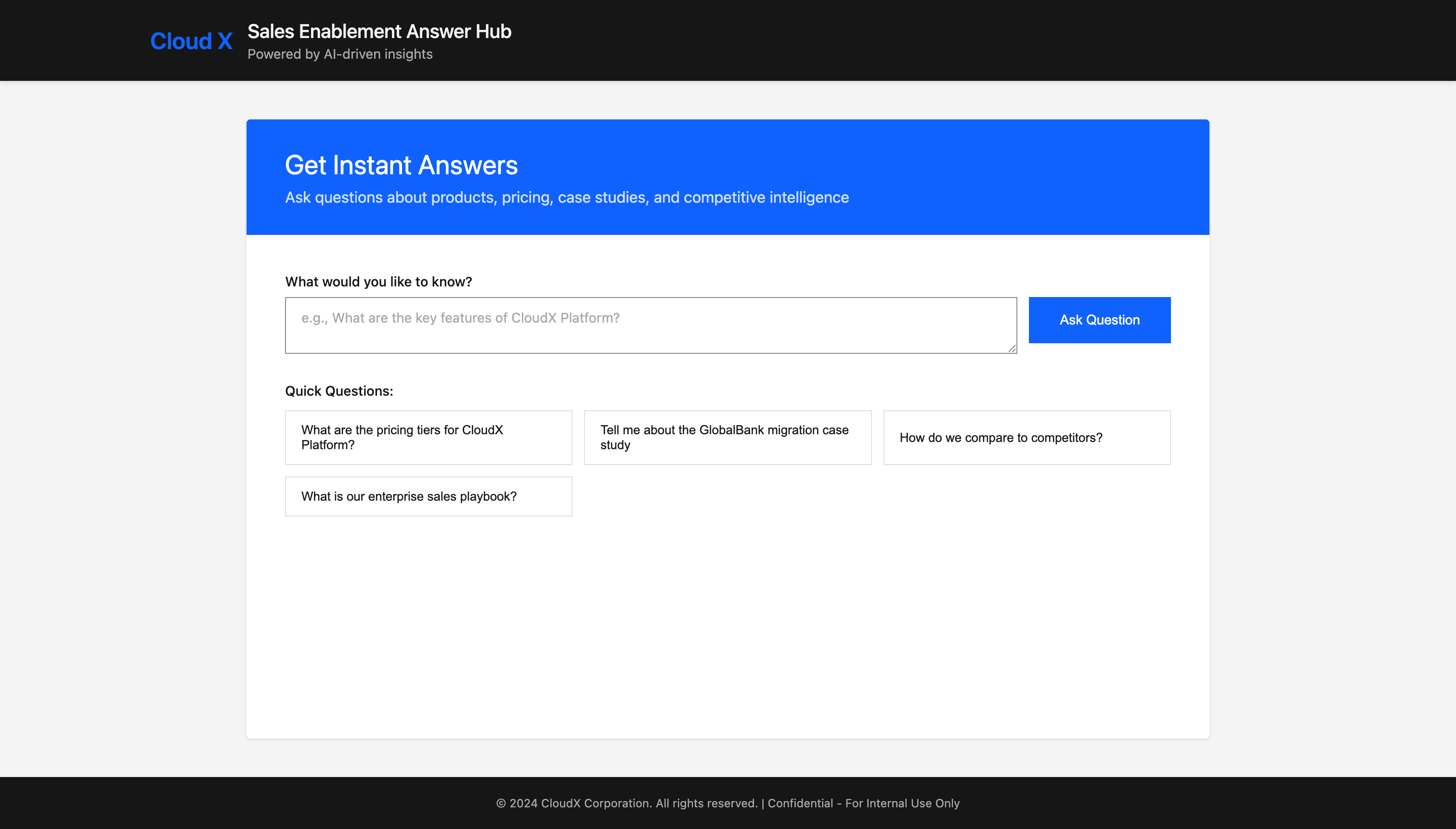
A little index.html page in META-INF/resources is rounding this out. Code on the repository. It’s nothing really magically.
Run and test the full pipeline
Now wire everything up. I have added five AI generated sales enablement pdf documents into the respository so you have something to play with. Not really complex but should be enough for you to understand what is happening.
Start Quarkus dev mode
From the project root:
quarkus devWhen the application starts, you see the ingestion pipeline being executed:
[com.ibm.ingest.DocumentLoader] Starting document loading...
[com.ibm.ingest.DocumentLoader] Processing file: pricing_packaging_guide_2024.pdf
[com.ibm.ingest.DocumentLoader] Successfully processed file: pricing_packaging_guide_2024.pdf
[com.ibm.ingest.DocumentLoader] Processing file: competitive_analysis_q4_2024.pdf
[com.ibm.ingest.DocumentLoader] Successfully processed file: competitive_analysis_q4_2024.pdf
[com.ibm.ingest.DocumentLoader] Processing file: case_study_globalbank_migration.pdf
[com.ibm.ingest.DocumentLoader] Successfully processed file: case_study_globalbank_migration.pdf
[com.ibm.ingest.DocumentLoader] Processing file: product_overview_cloudx_platform.pdf
[com.ibm.ingest.DocumentLoader] Successfully processed file: product_overview_cloudx_platform.pdf
[com.ibm.ingest.DocumentLoader] Processing file: sales_playbook_enterprise_deals.pdf
[com.ibm.ingest.DocumentLoader] Successfully processed file: sales_playbook_enterprise_deals.pdf
[com.ibm.ingest.DocumentLoader] Document loading completed. Success: 5, Failures: 0, Skipped: 1

[com.ibm.ingest.DocumentLoader] Generating embeddings for 275 text segments...
[com.ibm.ingest.DocumentLoader] Progress: embedded 10/275 segments
...

[com.ibm.ingest.DocumentLoader] Successfully embedded and stored 275 out of 275 segments (errors: 0)
275 segments from 5 documents? Is that even reasonable?
DocumentLoader:
Splitter configured: 200 tokens/segment, 20 token overlap
Average: 55 segments per document (275 ÷ 5)
Expected range for sales documents: 11-72 segments per document
Math verification:
55 segments × 200 tokens = ~11,000 tokens per document
Typical sales PDFs: 5-20 pages, 2,000-13,000 tokens
The 275 segments is indeed a reasonable result for 5 enterprise sales documents.
Now.: Let’s ask this application a question
Go to the web-ui and ask some questions or pick from the proposed ones. You will see the Retriever in Action (I did add some more logging to it, so you get a better understanding about what it does):
2025-12-09 16:50:36,370 INFO  [com.ibm.retrieval.DocumentRetriever] (executor-thread-1) DocumentRetriever: Retrieved 3 document snippet(s) for augmentation
2025-12-09 16:50:36,371 INFO  [com.ibm.retrieval.DocumentRetriever] (executor-thread-1)   [1] 20%): - Strategic accounts - Large deal sizes (>$200K ACV) ``` ``` - Competitive displacements - Requires director approval Sales Director (up to 30%): - Enterprise deals (>$500K ACV) - Strategic (from: pricing_packaging_guide_2024.pdf)
2025-12-09 16:50:36,372 INFO  [com.ibm.retrieval.DocumentRetriever] (executor-thread-1)   [2] storage: $0.10/GB/month - Additional bandwidth: $0.08/GB - Extra regions: $300/region/month --- ENTERPRISE TIER Starting at: $5,999/month | Custom annual pricing Included Features: - Unlimited (from: pricing_packaging_guide_2024.pdf)
2025-12-09 16:50:36,372 INFO  [com.ibm.retrieval.DocumentRetriever] (executor-thread-1)   [3] collaboration Business Value: - Faster time-to-market (40-60% improvement) - Improved customer satisfaction - Reduced downtime costs - Enhanced security posture - Better compliance management ROI (from: pricing_packaging_guide_2024.pdf)
And the guardrails being triggered right after:
[com.ibm.guardrails.InputValidationGuardrail]: Validating user input
[com.ibm.guardrails.InputValidationGuardrail]: Input validated successfully
[com.ibm.guardrails.OutOfScopeGuardrail]: Validating LLM response
[com.ibm.guardrails.OutOfScopeGuardrail]: Response validated successfully - content is in scope
[com.ibm.guardrails.HallucinationGuardrail]: Validating LLM response
[com.ibm.guardrails.HallucinationGuardrail]: Response validated successfully - no hallucination indicators detected
Enterprise-grade RAG starts with one solid pipeline you fully understand and some nice UI’s on top.
Markus,
I was using this project as a starter but when passing a 24MB file it failed with GateWay Timeout. I worked with the Docling team and figured it out you may want to update your example based on this: https://github.com/quarkiverse/quarkus-docling/issues/103
It fixes the issues and allows you to upload larger documents!
Great post (as always)!
I see Docling as the main topic here - great to see that document handling is now also bearable in Java.
Would've been nice to explain your model choice and the choice of the splitter (sentence), along with the token and the overlap (200 tokens, overlap of 20). Did you get the best results using this configuration? This could really make a great difference in a RAG Pipeline, and it would be nice to explain how you landed on those values.
Anyways, like I already said, great stuff, keep it coming!